
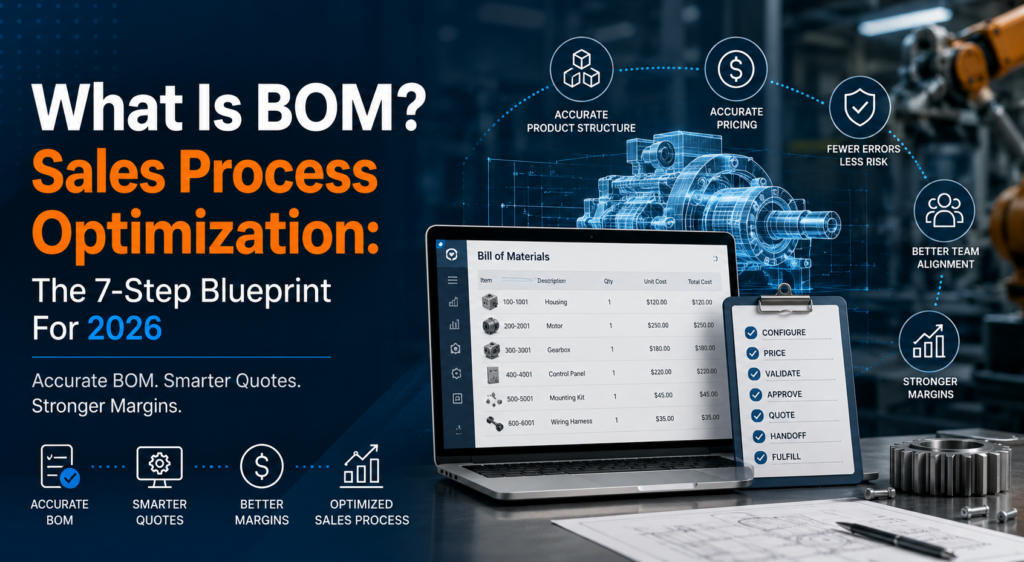
This blog explains what is BOM and why it matters in sales process optimization for manufacturers, distributors, and complex B2B sales teams. It also shows how a clean bill of materials helps sales, pricing, operations, finance, and service teams work from the same product data instead of chasing corrections after the quote is sent.
A sales rep quotes a configurable product in the morning. By afternoon, operations flags the quote because one component is missing. Finance then finds the margin is wrong. The customer waits. The sales team loses momentum.
This is not only a quoting problem. It is a BOM problem.
If your team still asks, “what is BOM?” during quoting, approvals, or handoff, your sales process is carrying risk. A bill of materials is not just an internal production document. For complex products, it is the link between what the customer chooses, what sales quotes, what operations builds, and what finance expects to protect.
Mobileforce works in that exact gap: complex product configuration, pricing accuracy, quote-to-cash workflows, and manufacturing sales processes that need less manual back-and-forth.
BOM stands for bill of materials. In a sales process, the BOM defines what is included in the product being quoted.
That sounds simple. It rarely is.
For a standard product, the BOM may only list fixed parts and quantities. For a configurable product, the BOM changes based on size, material, options, accessories, region, warranty, service level, or customer-specific requirements.
This is where sales process optimization becomes real. A fast quote is not useful if it contains the wrong components. A professional proposal does not help if the cost basis is incomplete.
A good BOM helps sales teams quote with confidence because product selections, pricing rules, and required items are connected before the proposal reaches the customer.
A bill of materials is a structured list of the items needed to make, assemble, package, sell, or service a product.
At the basic level, a bill of materials includes items such as parts, subassemblies, raw materials, quantities, part numbers, descriptions, unit costs, supplier details, and revision levels.
For sales teams, the BOM answers practical questions:
Sales Question | BOM Answer |
What is included in this configuration? | Required components and quantities |
What changes when the customer selects an option? | Added, removed, or replaced items |
What affects cost? | Materials, parts, labor inputs, and service items |
What needs approval? | Non-standard components, discounts, or custom requests |
What must be handed off after the deal closes? | Final product structure for fulfillment |
This is why BOM data should not sit in spreadsheets alone. Once the sales team starts selling configurable products, BOM data needs to connect with quoting, pricing, approvals, and customer records.
What is bill of materials in manufacturing? It is the controlled product structure that tells teams what is needed to produce or deliver the final product.
In manufacturing sales, the BOM sits behind many decisions. It affects quote accuracy, delivery timelines, stock checks, production planning, service expectations, and profitability.
For example, a company selling configurable industrial equipment may offer multiple motor options, enclosure types, control packages, mounting choices, and service plans. Each choice changes the product structure. If sales selects the wrong combination, the quote may look fine but fail during review.
That creates delays. Worse, it can create a quote that wins the deal but damages the margin.
A connected CPQ platform helps prevent that. Mobileforce CPQ supports intelligent product configuration, smart pricing, real-time validation, automated approvals, and CRM integration. That makes BOM-driven quoting less dependent on manual checking.
Learn more about CPQ Software for complex product configuration and quote automation.
Not every BOM serves the same purpose. Sales teams do not need to manage every detail, but they should understand the main types of bill of materials that affect quotes and handoffs.
A sales BOM shows the product as the customer buys it. It may group items into kits, packages, bundles, options, or service levels.
This is the BOM most connected to quoting.
A manufacturing BOM shows what operations needs to build the product. It is usually more detailed than the sales view because it includes production-level materials, subassemblies, and process-related items.
A configurable BOM changes based on customer selections. This matters most for CPQ because the final product structure depends on rules.
For example, choosing a larger unit size may automatically require a different frame, added hardware, upgraded power components, and a different delivery method.
A service BOM lists spare parts, replacement kits, maintenance items, or field service components. This becomes useful after the sale, especially for companies that handle quote-to-service workflows.
A multi-level BOM breaks the product into parent items, subassemblies, and child components. It gives a deeper view of product structure.
Sales may not see every level, but the pricing and delivery logic often depend on it.
Sales process optimization is not only about shorter forms or faster approvals. For manufacturing and complex B2B sales, it starts with the product data behind the quote.
Here is a practical seven-step blueprint.
Do not automate messy product logic.
Start by reviewing part numbers, descriptions, option names, cost fields, and obsolete items. Remove duplicates. Mark inactive products clearly. Fix naming issues before they become CPQ rules.
A poor product catalog creates poor quotes faster.
Sales does not need every production detail on the quote screen. They need the right level of detail to configure accurately, price correctly, and answer buyer questions.
Separate internal production detail from customer-facing selections. This keeps quoting cleaner and reduces confusion.
Every option should trigger the correct BOM result.
If a customer selects a premium package, the related parts, accessories, warranty terms, and service items should be added automatically. If two options cannot work together, the system should stop that combination before the quote is created.
This is where no-code configuration becomes useful. Teams can update rules without waiting weeks for custom development.
BOM accuracy affects cost. Cost affects margin. Margin affects approvals.
If the BOM changes but pricing does not, the quote becomes risky. A good setup connects product structure to pricing logic, discounts, approval paths, and margin thresholds.
That gives sales speed without giving up control.
Not every quote needs review. The slow process starts when every deal gets treated like a special case.
Use approval rules for exceptions:
Exception | Approval Trigger |
Non-standard component | Product review |
Low margin | Finance review |
Large discount | Sales leadership review |
Custom delivery term | Operations review |
Unusual service scope | Service review |
This keeps standard quotes moving while risky deals get proper attention.
A quote should not become a disconnected PDF.
The final configuration, pricing, customer details, and approval history should stay connected to CRM and back-office systems. This reduces duplicate entry and gives teams a cleaner handoff after the deal is won.
Mobileforce supports integrations with systems such as Salesforce, HubSpot, Microsoft Dynamics, Creatio, and SugarCRM, which helps teams keep quote data connected across the revenue process.
BOM-driven sales process optimization is never one-and-done.
Review lost deals, margin issues, quote revisions, approval delays, and fulfillment corrections. Then update product rules, pricing logic, and BOM structures based on what actually happened.
This is how teams move from reactive quoting to a stronger quote-to-cash process.
A bill of materials sample helps show how sales selections turn into required items.
Example: Configurable Commercial Power Unit
BOM Level | Item | Quantity | Notes |
1 | Base Power Unit | 1 | Required core product |
2 | Standard Frame | 1 | Included with base unit |
2 | Premium Control Package | 1 | Added when customer selects premium control |
2 | Mounting Kit | 1 | Required for wall-mounted configuration |
2 | Safety Cover | 2 | Added for compliance package |
2 | Installation Service | 1 | Optional service item |
2 | Extended Warranty | 1 | Optional commercial coverage |
This sample is simple, but it shows the real issue. The customer may only see “Premium Control Package.” The business needs to know every item that choice adds to the quote, cost, approval path, and final handoff.
That is why BOM logic belongs inside the sales workflow, not only inside a spreadsheet.
The right tool should support the bill of material management process without making every update feel like a project.
Look for practical capabilities.
Teams should be able to create and update product rules through a controlled interface. No-code setup helps companies move faster when products, prices, and options change.
The system should prevent invalid combinations before the quote reaches the customer. This protects sales time and reduces internal correction loops.
Product selection should connect to cost, pricing, discounts, approval rules, and margin visibility. Sales needs speed, but finance needs control.
A CPQ system should not create another data island. It should connect with CRM and related systems so the quote, customer record, and fulfillment handoff stay aligned.
For companies with field service, maintenance, installation, or support contracts, the quote should connect to downstream service work. This is especially important when the sold product includes service parts, warranty items, or recurring support.
See how Mobileforce supports manufacturing teams through CPQ Software for Manufacturing.
Bad BOM data has a cost. It does not always show up as one large line item. It leaks through the sales process.
Common costs include:
Problem | Business Impact |
Missing components | Requotes, delays, and fulfillment issues |
Wrong quantities | Margin loss or customer disputes |
Outdated parts | Manual correction and approval delays |
Incorrect option rules | Invalid configurations reaching buyers |
Disconnected quote data | Duplicate entry and handoff mistakes |
Poor service BOM visibility | Slower support after the sale |
The biggest cost is lost trust. Buyers notice when a quote changes three times. Sales teams lose confidence when they have to check every detail manually. Operations loses time when the handoff is incomplete.
A clean BOM does not fix every sales issue. It does remove many preventable ones.
Learning how to make a bill of materials is easier when the team starts with the final sales workflow in mind.
Use this basic structure:
Field | Purpose |
Item number | Identifies the part, product, or service |
Description | Explains what the item is |
Quantity | Shows how many are required |
Unit cost | Supports pricing and margin checks |
Product option | Shows which selection triggers the item |
Revision | Tracks current approved version |
Supplier or source | Helps with availability and costing |
Approval rule | Flags items that need review |
Service link | Connects the item to post-sale support if needed |
For a small product line, a spreadsheet may work for a while. For configurable products, the BOM needs stronger control. Once sales, pricing, approvals, and delivery depend on it, the BOM should be managed inside a connected process.
That is where CPQ becomes more than quote generation. It becomes the operating layer between product data, pricing, sales, and service.
BOM accuracy helps sales teams quote the right product, include the right items, and avoid manual correction after the proposal is sent. It also supports better pricing, cleaner approvals, and faster handoff after the deal closes.
No. Manufacturing teams depend on BOMs, but sales, finance, operations, and service teams also need BOM accuracy. If the product is configurable, sales needs BOM logic during the quoting stage.
A CPQ platform can generate BOM outputs based on product rules and customer selections. The quality depends on how clean the product data, option logic, and pricing rules are inside the system.
A sales BOM shows the product in the way the customer buys it. A manufacturing BOM shows the detailed structure needed to make or deliver it. Both should connect, but they do not always need to look the same.
A BOM should be updated whenever products, parts, suppliers, costs, compliance needs, or service requirements change. For complex products, teams should also review BOM rules after quote errors, margin issues, or fulfillment delays.
A BOM is not just a product list. It is the structure behind accurate quoting, cleaner approvals, better margins, and smoother handoffs.
For 2026 sales process optimization, the goal is not to make reps work around product complexity. The goal is to put that complexity inside a controlled CPQ workflow so sales can quote faster without creating risk later.
Mobileforce helps complex B2B teams connect product configuration, pricing, approvals, CRM data, and quote-to-service workflows in one platform. To see how this could work for your sales process, book a personalized demo.