
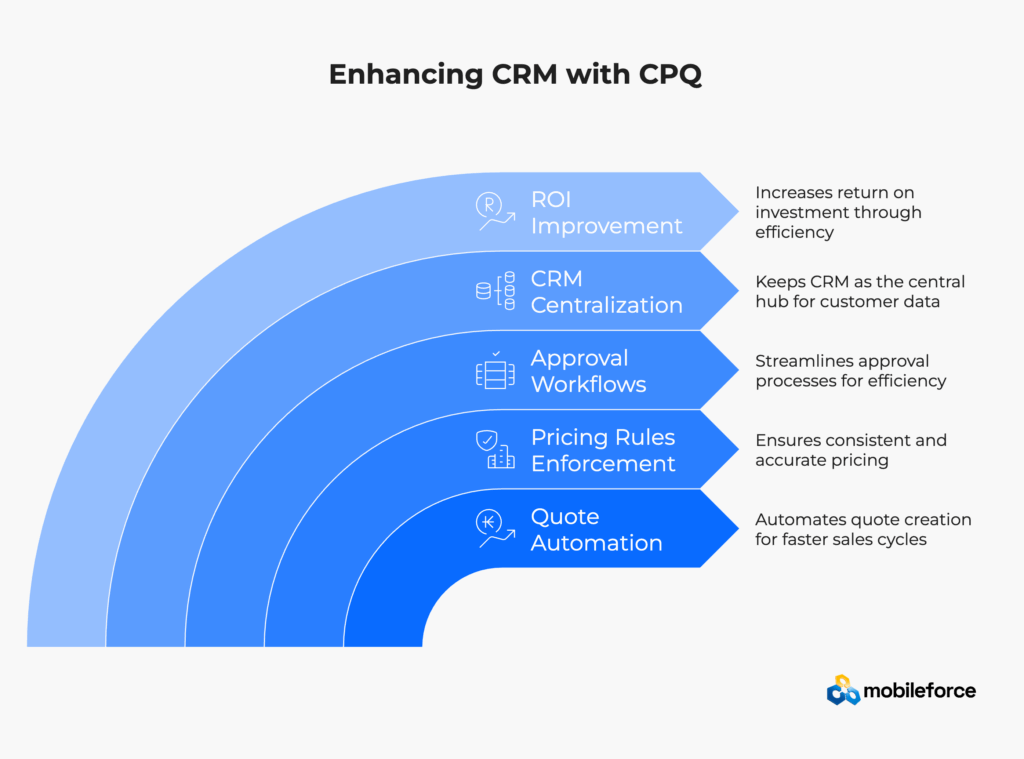
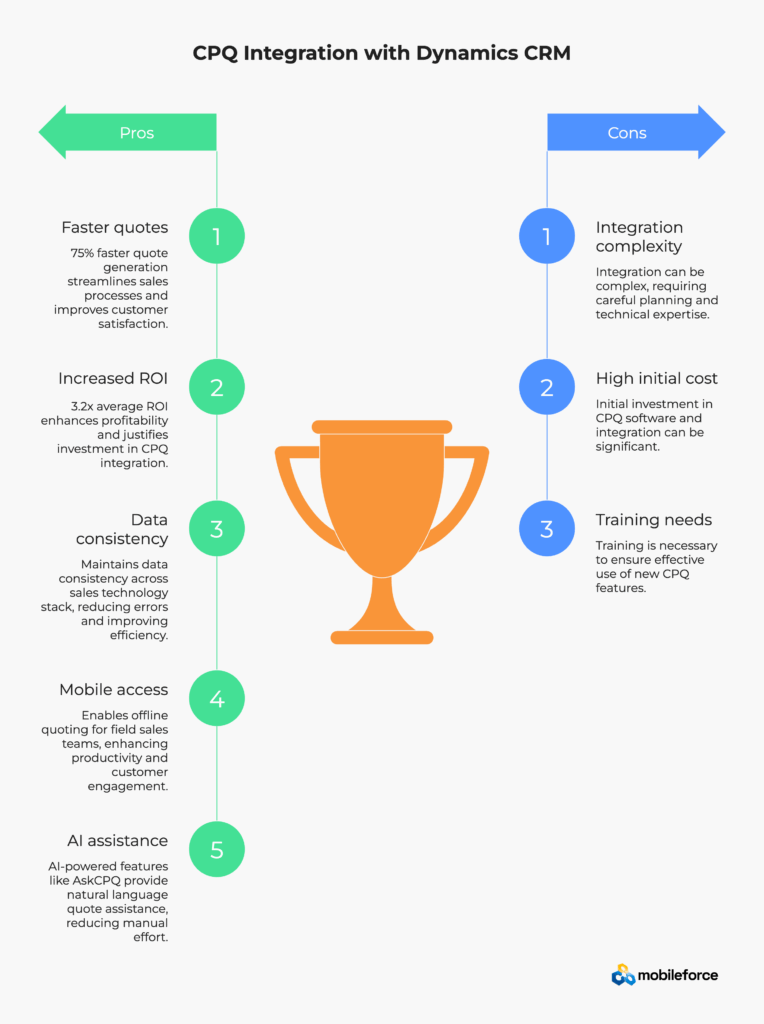
Microsoft Dynamics CRM is powerful for customer relationship management, but it falls short when handling complex product configurations, pricing rules, and quote generation at scale. CPQ (Configure Price Quote) integration bridges this gap by automating quote creation, enforcing pricing rules, and streamlining approval workflows—all while keeping your existing CRM as the central hub. Organizations typically see 75% faster quote generation and 3.2x average ROI when implementing integrated CPQ solutions. This guide covers everything from integration strategies to vendor evaluation, helping you bridge the execution gap between opportunity management and revenue realization.
Picture this: Your sales rep is in front of a major prospect, laptop open with Microsoft Dynamics CRM displaying months of relationship history. The customer wants a complex configuration—multiple product variants, volume discounts, and custom service levels. What should take minutes stretches into hours as your rep bounces between spreadsheets, emails finance for approval, and manually calculates pricing.
Sound familiar? Microsoft Dynamics CRM serves over 58,000 organizations globally, but most struggle with the same bottleneck: generating accurate quotes quickly while maintaining complex product configurations.
Microsoft Dynamics CRM excels at managing customer relationships, tracking opportunities, and forecasting sales. But it wasn’t designed for the complexity modern B2B sales demands. Microsoft’s official Dynamics 365 Sales documentation confirms this challenge, noting that while Dynamics provides excellent relationship management, complex product configuration and pricing automation require specialized CPQ integration.
Complex Pricing Models That Break Manual Processes: Today’s B2B sales involve tiered volume discounts across product families, regional pricing variations for global teams, subscription models with usage-based components, and channel partner pricing with different margin structures. Each scenario requires different calculations, approval levels, and documentation that manual processes simply can’t handle consistently.
Field Sales Reality: Research shows that sales professionals spend only 28-36% of their time actually selling, with non-selling activities consuming two-thirds of the average sales team’s time. IBM research on sales productivity confirms that “two-thirds of sales reps’ time remains funneled into non-selling activities” despite widespread technology adoption. When your field sales team is on-site with customers but can’t generate quotes without returning to the office, you’re losing deals to competitors with mobile-ready solutions.
Configuration Complexity: Industry research demonstrates that manufacturing environments using manual quoting experience error rates of up to 36%. These aren’t small mistakes—configuration errors result in impossible-to-fulfill orders or quotes that lose money on every sale, particularly in industrial equipment scenarios.
The solution isn’t more training or better spreadsheets. It’s recognizing that modern revenue execution requires purpose-built CPQ technology that works seamlessly within your existing Dynamics CRM workflow.
Ready to see how modern CPQ transforms Dynamics CRM? Experience Mobileforce’s integrated approach designed specifically for CRM environments.
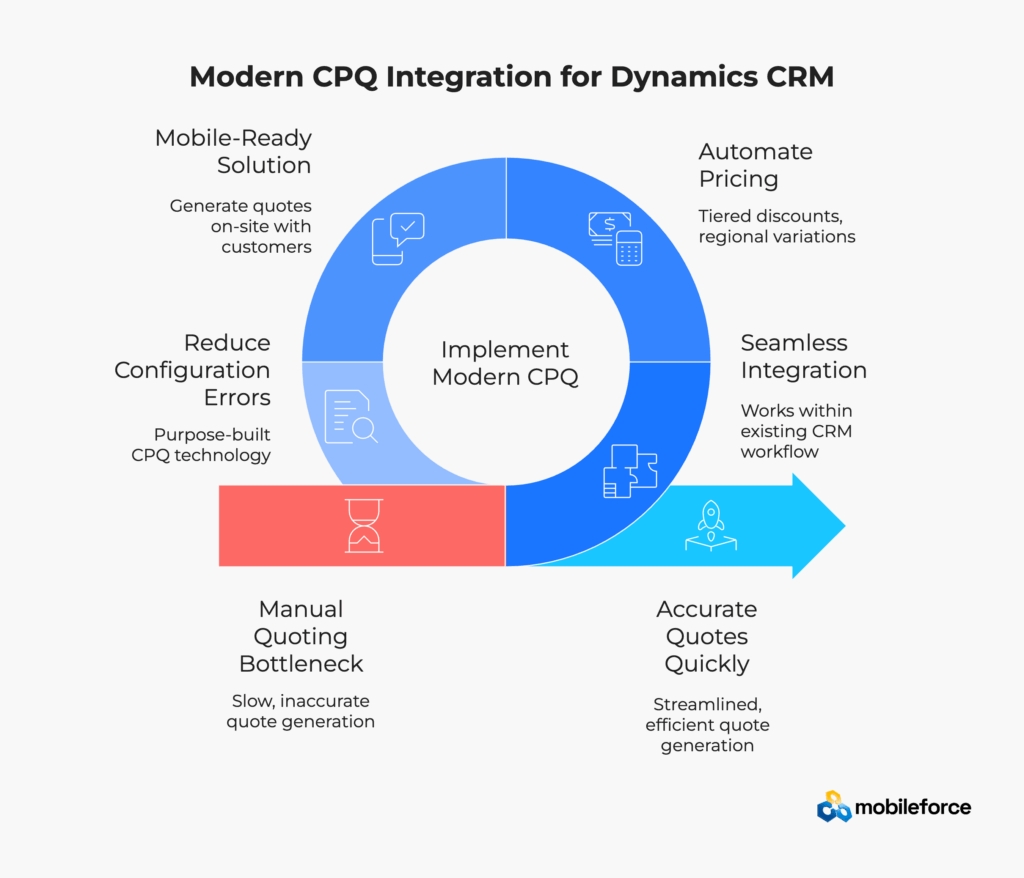
Configure Price Quote software automates three critical revenue operations processes that Microsoft Dynamics CRM handles manually: product configuration, pricing calculations, and quote generation. For organizations evaluating CPQ solution pricing and CRM integration solutions, modern CPQ platforms serve as comprehensive sales enablement tools that extend beyond basic quote automation.
Advanced CPQ platforms enforce business rules that prevent impossible configurations, automatically apply volume discounts, and guide sales reps through complex pricing scenarios. These revenue execution platforms handle subscription models, multi-year contracts, and regional pricing variations that would overwhelm standard CRM quoting capabilities.
The Business Case for CPQ Integration:
Think of CPQ as your revenue optimization engine. Where Dynamics CRM manages customer relationships and sales opportunities, CPQ software for Dynamics CRM handles the technical complexity of turning opportunities into accurate, profitable quotes that drive consistent revenue growth.
Organizations evaluating the best CPQ software for Dynamics often struggle with cost justification. Here’s how leading companies calculate CPQ implementation ROI:
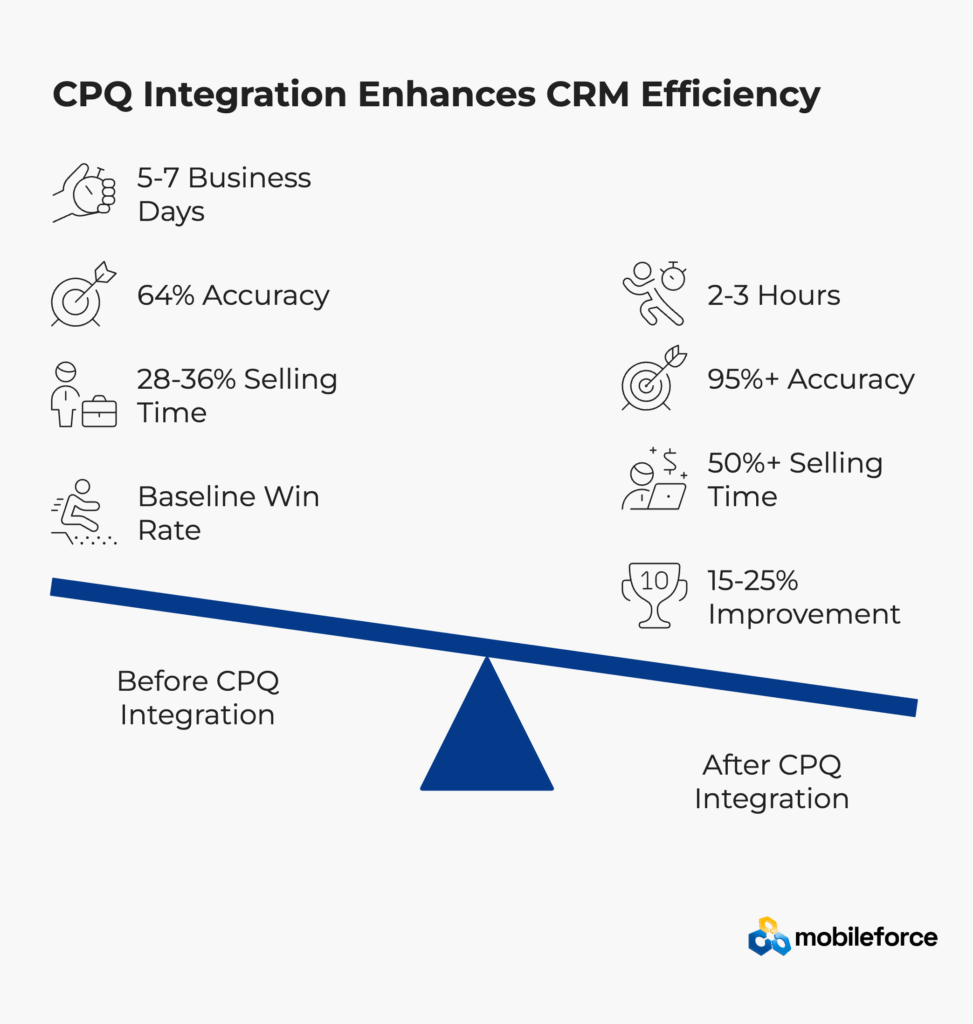
ROI Component | Before CPQ | After CPQ Integration | Improvement |
Average Quote Cycle | 5-7 business days | 2-3 hours | 85% reduction |
Quote Accuracy Rate | 64% (industry avg) | 95%+ | 48% improvement |
Sales Rep Productivity | 28-36% selling time | 50%+ selling time | 75% increase |
Deal Win Rate | Baseline | 15-25% improvement | Revenue growth |
Implementation Cost | – | $50K-$200K typical | 6-month payback |
Calculate your specific ROI potential. Schedule a personalized assessment to see how CPQ integration impacts your Dynamics CRM environment.
The most effective Microsoft Dynamics CRM integration solutions embed directly into existing workflows rather than forcing users to switch between disconnected systems. Quality CRM workflow automation provides:
Bi-directional data synchronization ensures that quotes generated in CPQ automatically update opportunity records in Dynamics CRM. When prospects request changes, both systems reflect the latest information without manual data entry, maintaining data integrity across the entire sales process optimization workflow.
Embedded user experience means sales representatives start quotes directly from opportunity records in Dynamics CRM. They don’t need separate logins, training on new interfaces, or complex workarounds that slow adoption of sales automation platforms.
Real-time pricing visibility pulls current product costs, inventory levels, and approved discount matrices into the quoting process. This prevents pricing errors that plague manual quote management while enabling more competitive positioning through dynamic pricing optimization.
Integration Approach | Implementation Complexity | User Experience | Business Impact |
Native CRM Embedding | Low | Seamless | High adoption rates |
API-Based Connection | High | Moderate switching | Technical maintenance required |
Standalone CPQ System | Medium | Frequent system switching | Poor adoption, data silos |
Experience seamless CRM integration. Explore how Mobileforce embeds directly into your Dynamics CRM environment without disrupting existing workflows.
Unlike traditional CPQ implementation approaches that force organizations to adapt to rigid software requirements, Mobileforce’s methodology adapts to how your team actually works within Dynamics CRM environments. This Microsoft Dynamics 365 sales automation approach leverages three core innovations that address common CRM integration challenges: no-code configuration, mobile-first architecture, and AI-powered assistance.
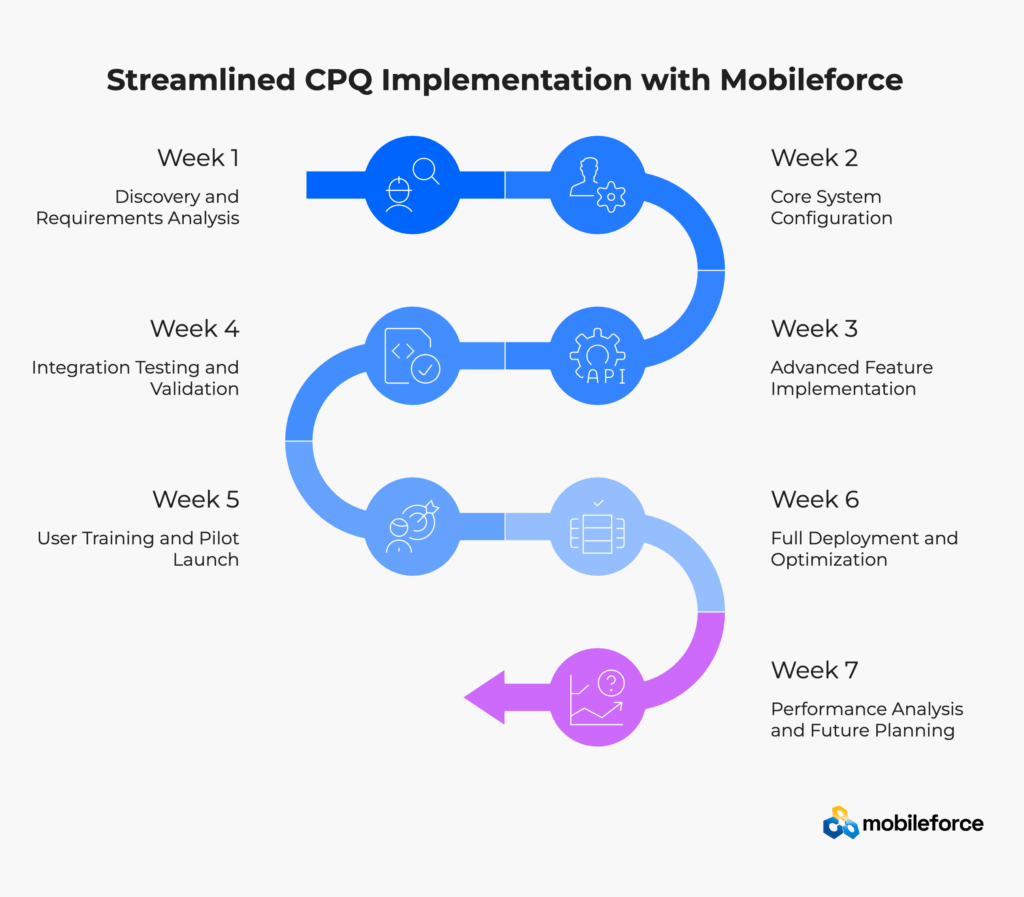
Understanding CPQ implementation costs and timelines helps organizations plan successful Dynamics CRM integrations. Organizations that implement structured CPQ methodologies see significantly faster adoption rates. Here’s the detailed week-by-week process for implementing quote management software:
Week 1: Discovery and Requirements Analysis
Week 2: Core System Configuration
Week 3: Advanced Feature Implementation
Week 4: Integration Testing and Validation
Week 5: User Training and Pilot Launch
Week 6: Full Deployment and Optimization
Week 7: Performance Analysis and Future Planning
Implementation Week | Key Activities | Deliverables | Success Criteria |
Week 1 | Discovery & Planning | Requirements doc, baseline metrics | Stakeholder alignment achieved |
Week 2-3 | Configuration & Setup | Configured system, test environment | Core functionality validated |
Week 4 | Testing & Integration | Test results, performance metrics | All integrations working |
Week 5 | Training & Pilot | Trained users, pilot feedback | User adoption >80% |
Week 6-7 | Deployment & Optimization | Live system, performance reports | ROI targets met |
Accelerate your CPQ implementation timeline. Schedule your implementation consultation to begin your 7-week transformation journey.
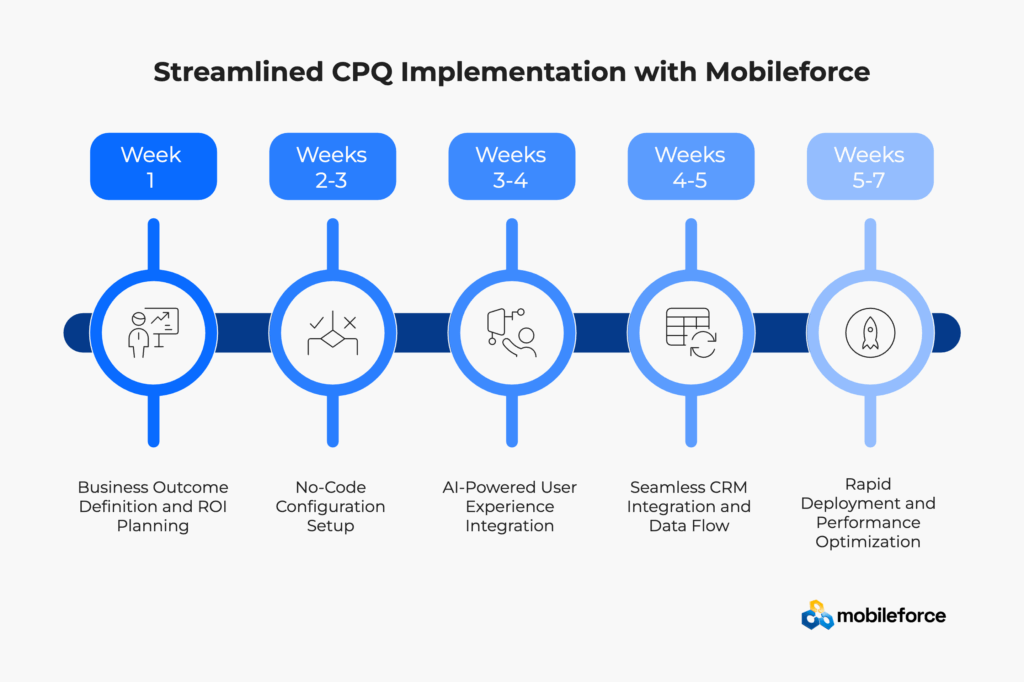
Start with measurable outcomes that demonstrate clear CPQ software benefits and return on investment:
Primary Implementation Objectives:
Document current baseline metrics including quote cycle times, error rates, field sales limitations, and revenue leakage from pricing inconsistencies. Mobileforce’s typical 25-47 day deployment timeline allows organizations to measure CPQ ROI improvements quickly rather than waiting months to see results from traditional enterprise implementations.
Traditional CPQ platforms require months of custom development and technical resources. Mobileforce’s no-code CPQ platform allows business users to configure complex rules without technical dependencies:
Product Configuration Management: Use visual rule builders to define product dependencies, compatibility matrices, and required accessories. Business users can modify these sales automation rules as products evolve without waiting for IT resources or expensive custom development.
Dynamic Pricing Logic: Configure volume discounts, regional pricing, and approval thresholds through intuitive interfaces. The system automatically applies these pricing optimization rules while maintaining compliance with company policies and margin requirements.
Mobile Offline Capabilities: Configure offline functionality that syncs automatically with Dynamics CRM when connectivity returns. This addresses critical field sales challenges that traditional cloud-only CPQ software solutions can’t handle effectively.
The AskCPQ AI agent transforms how sales representatives interact with complex configuration requirements while maintaining CRM workflow automation:
Natural Language Configuration: Sales reps can ask “What would this cost with a 20% volume discount for healthcare customers?” rather than navigating complex pricing matrices or configuration screens.
Intelligent Product Recommendations: The AI suggests complementary products, optimal configurations, and competitive pricing strategies based on customer history, industry patterns, and revenue operations data.
Embedded Learning and Support: Unlike traditional training-intensive CPQ systems, the AI agent reduces learning curves by providing contextual guidance within familiar Dynamics CRM workflows.
Mobileforce embeds directly into Dynamics CRM rather than requiring separate interfaces that create user adoption challenges:
Native Workflow Integration: Sales representatives generate quotes directly from opportunity records using embedded Mobileforce components that feel native to Dynamics CRM interfaces.
Bi-Directional Synchronization: Quote updates automatically sync with opportunity records, maintaining data consistency without manual intervention or duplicate data entry.
Approval Workflow Preservation: Existing Dynamics approval processes continue to work while gaining automated routing and status tracking capabilities.
Pilot Testing and Validation: Start with experienced sales representatives who can provide detailed feedback while the system handles real customer scenarios and revenue transactions.
Performance Monitoring and Analytics: Track key metrics including quote cycle time, pricing accuracy, user adoption rates, and revenue impact using built-in analytics and CRM reporting integration.
Continuous Improvement and Optimization: Use AI insights and user feedback to refine configurations and optimize workflows for maximum efficiency and revenue growth.
Mobileforce Implementation Phase | Traditional CPQ Approach | Time Savings | Business Impact |
No-Code Configuration | Custom Development Required | 3-4 months | Faster time to value |
Mobile-First Design | Desktop-Only Implementation | Immediate | Field sales enablement |
AI-Powered Interface | Manual Navigation Training | 75% faster adoption | Reduced training costs |
Native CRM Integration | Separate System Architecture | Zero workflow disruption | Higher user adoption |
Rapid Deployment Timeline | Extended Implementation | 4-6 months faster ROI | Earlier revenue impact |
Experience this proven methodology firsthand. Schedule your implementation consultation to see how Mobileforce transforms Dynamics CRM quote-to-cash processes without disrupting existing workflows or requiring extensive sales team retraining.
Ready to accelerate your sales productivity with best-in-class CPQ software? Request a personalized demonstration of Mobileforce’s AI-powered revenue execution capabilities.
Traditional CPQ integrations with Microsoft Dynamics CRM often fail because they treat integration as a technical problem rather than a user experience challenge. Mobileforce’s approach addresses the root causes that derail most implementations.
The Problem: Microsoft Dynamics CRM organizes customer data differently than most CPQ systems expect. Dynamics uses Accounts, Contacts, and Opportunities while CPQ systems often expect Customer, Site, and Quote structures. Research shows that 67% of CRM integration failures stem from data model incompatibilities.
Mobileforce Solution: Purpose-built for CRM environments, Mobileforce maps directly to Dynamics data models without forcing structural changes. The native integration architecture recognizes and works with existing customizations rather than overriding them, supporting complex sales processes without disruption.
The Problem: Organizations often try to customize every aspect of CPQ behavior, creating maintenance nightmares and 12-18 month implementation timelines. Industry research indicates that over-customization increases project costs by 30-50% on average.
Mobileforce Solution: The no-code platform provides extensive configuration options without custom development. Business users can modify pricing rules, product dependencies, and approval workflows as needs change, eliminating technical dependencies that slow traditional implementations.
The Problem: If using CPQ feels like switching to a completely different system, adoption suffers. Sales reps resist workflows that disrupt their familiar Dynamics environment. Research shows that user experience issues cause 45% of CPQ implementation failures.
Mobileforce Solution: Embedded interface components make CPQ feel like a native Dynamics feature rather than a separate application. Sales reps generate quotes directly from opportunity records without learning new interfaces or managing separate logins, supporting seamless revenue operations workflows.
The Problem: Most CPQ platforms require constant internet connectivity, making them unusable for field sales teams working on customer sites or in remote locations. Industry analysis reveals that connectivity issues cause field sales teams to lose 30% of potential deals.
Mobileforce Solution: Mobile-first architecture provides complete offline functionality with automatic synchronization when connectivity returns. Field sales teams can generate complex quotes while on-site with customers, addressing a critical gap that traditional cloud-only solutions can’t fill with mobile revolution capabilities.
The Problem: Complex product configurations require extensive training and create user adoption barriers that slow implementation success. Industry benchmarking data indicates that 60% of sales teams abandon complex CPQ systems within the first six months.
Mobileforce Solution: The AskCPQ AI agent allows sales reps to ask natural language questions like “What would this cost with a 20% volume discount?” rather than navigating complex configuration screens. This reduces training requirements and accelerates adoption across teams with varying technical comfort levels, powered by advanced AI automation.
Traditional Challenge | Mobileforce Advantage | Business Impact |
System Switching | Embedded Interface | 90% higher adoption |
Custom Development | No-Code Configuration | 4-6 month time savings |
Offline Limitations | Mobile-First Design | Field sales enablement |
Complex Navigation | AI-Powered Assistance | 75% faster learning |
Data Model Conflicts | CRM-Native Architecture | Zero workflow disruption |
See how these solutions work together in practice. Experience Mobileforce’s integrated approach designed specifically for Dynamics CRM environments and sales enablement requirements.
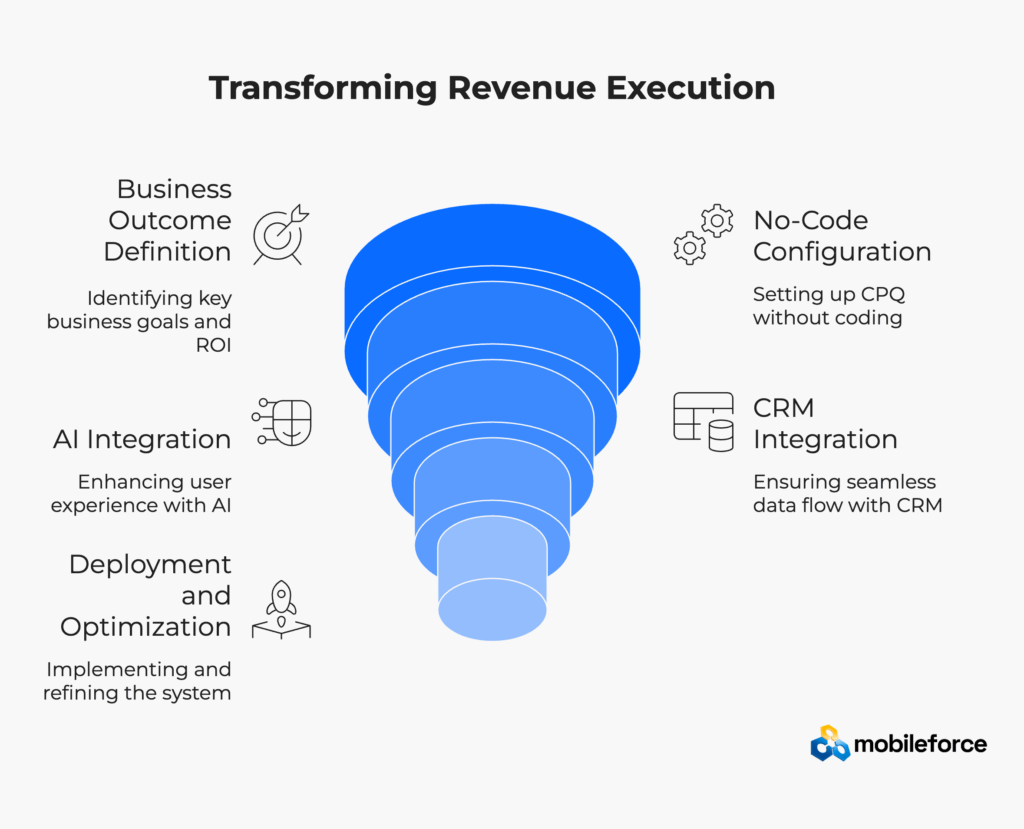
Selecting the right CPQ software for Dynamics CRM requires evaluating integration architecture, not just feature checklists. Organizations that focus on user experience, implementation speed, and ongoing maintenance requirements achieve better adoption rates and faster return on investment than those prioritizing comprehensive feature sets over practical usability.
Integration Architecture and Depth: The best CPQ software for Dynamics CRM provides true bi-directional synchronization, not surface-level connections requiring constant manual data entry. Mobileforce offers native CRM embedding that makes CPQ feel like built-in Dynamics functionality rather than a separate sales automation platform.
No-Code Configuration Capabilities: Traditional CPQ implementation approaches require months of custom development for complex configurations. Modern no-code CPQ platforms like Mobileforce allow business users to configure pricing rules, product dependencies, and approval workflows without technical dependencies, reducing implementation time from months to weeks.
Mobile and Offline Functionality: For organizations with field sales teams, mobile CPQ software with offline capabilities is essential, not optional. Traditional cloud-only CPQ solutions fail when sales representatives work on customer sites or in remote locations without reliable internet connectivity.
AI-Powered User Experience: The AskCPQ AI agent eliminates learning curves that typically slow CPQ adoption. Sales representatives can ask natural language questions rather than navigating complex configuration screens, making advanced quote management accessible to users with varying technical comfort levels.
Implementation Timeline and Support: CPQ implementation cost includes both software licensing and deployment time. Mobileforce’s 25-47 day deployment timeline contrasts sharply with traditional enterprise platforms requiring 6-18 months, enabling organizations to realize CPQ ROI much faster.
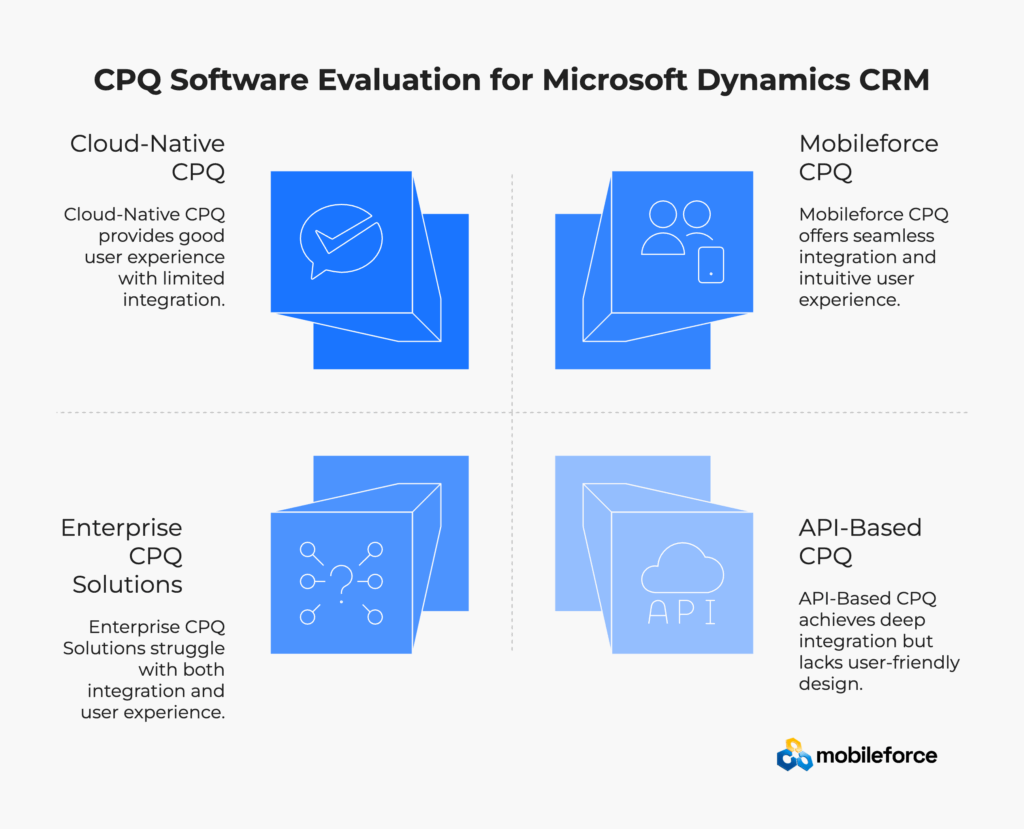
Different CPQ vendors take fundamentally different approaches to CRM integration, affecting both implementation complexity and long-term user satisfaction. Research shows that integration approach is the primary factor determining CPQ success. Understanding these differences helps organizations select the most cost-effective CPQ solution for their specific Dynamics CRM environment:
Evaluation Criteria | Enterprise CPQ Solutions | Cloud-Native CPQ | Mobileforce Approach | Business Impact |
Integration Method | API-based, separate system architecture | Template-based connections | Native CRM embedding with seamless workflows | 90% higher user adoption rates |
Configuration Approach | Custom development required for complex rules | Limited template options | 3-4 month implementation time savings | |
Mobile Capability | Online-only with limited offline functionality | Browser-based mobile access | Full offline capability with automatic sync | Complete field sales enablement |
Learning Curve | Extensive training programs required | Standard software training | 75% faster user onboarding | |
Implementation Timeline | 6-18 months typical deployment | 3-6 months average | Faster ROI realization and business impact | |
Pricing Model | High upfront licenses + implementation | Subscription + setup fees | Transparent subscription pricing | Predictable cost structure |
Total Cost (3 Years) | $500K-$2M+ | $200K-$800K | $150K-$400K | Lower total cost of ownership |
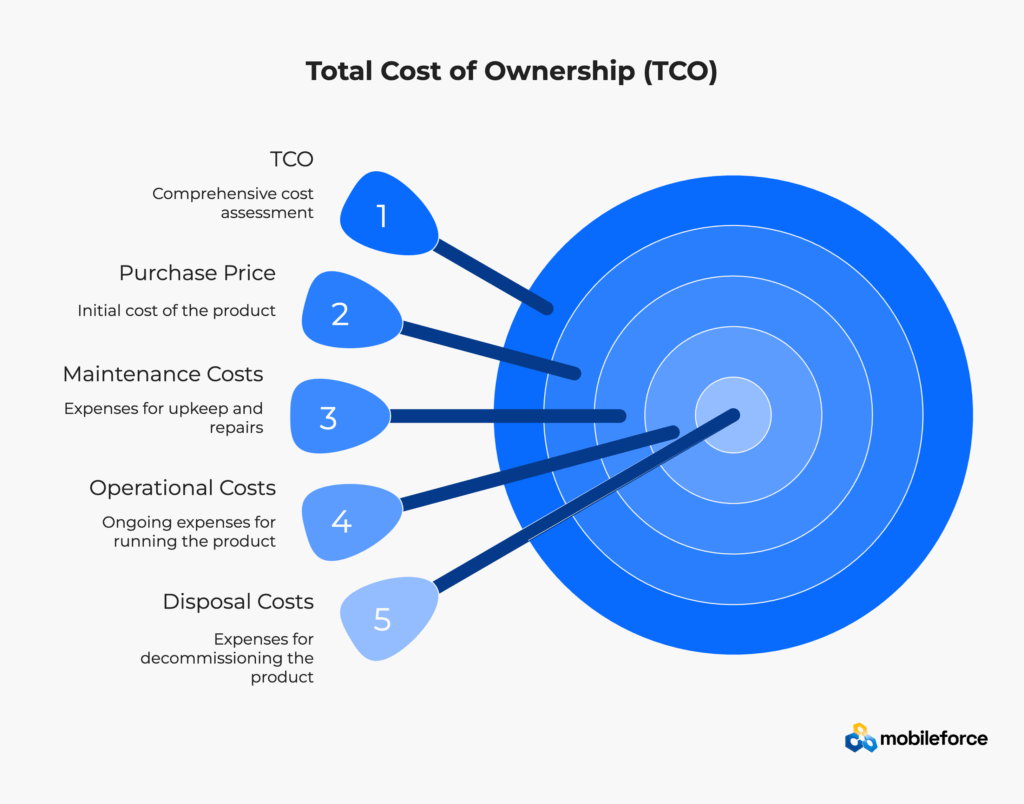
CPQ implementation cost analysis should include multiple factors beyond initial software licensing:
Direct Costs:
Indirect Costs:
Mobileforce Cost Advantage:
Compare pricing models and total cost of ownership. Request detailed ROI analysis tailored to your specific Dynamics CRM environment and business requirements.
Modern CPQ software serves as comprehensive revenue execution platforms that extend far beyond basic quote automation. Sales enablement tools include approval workflow management, inventory availability checking, pricing optimization, and revenue recognition compliance tracking within integrated CRM environments. Industry research on sales automation confirms that “companies can automate a third of all sales tasks,” enabling sales teams to focus on high-value relationship building activities.
Organizations implementing CPQ integration solutions typically experience improvements across multiple revenue operations metrics: sales productivity increases, pricing accuracy improvements, deal velocity acceleration, and customer satisfaction enhancement through faster response times and more professional quote presentation.
The key to maximizing these benefits lies in choosing CPQ platforms designed specifically for CRM workflow automation rather than standalone quote management systems that require extensive integration work.
Ready to experience integration architecture designed for success? Schedule your personalized demo to see how Mobileforce transforms quote generation without disrupting your existing Dynamics CRM workflows.
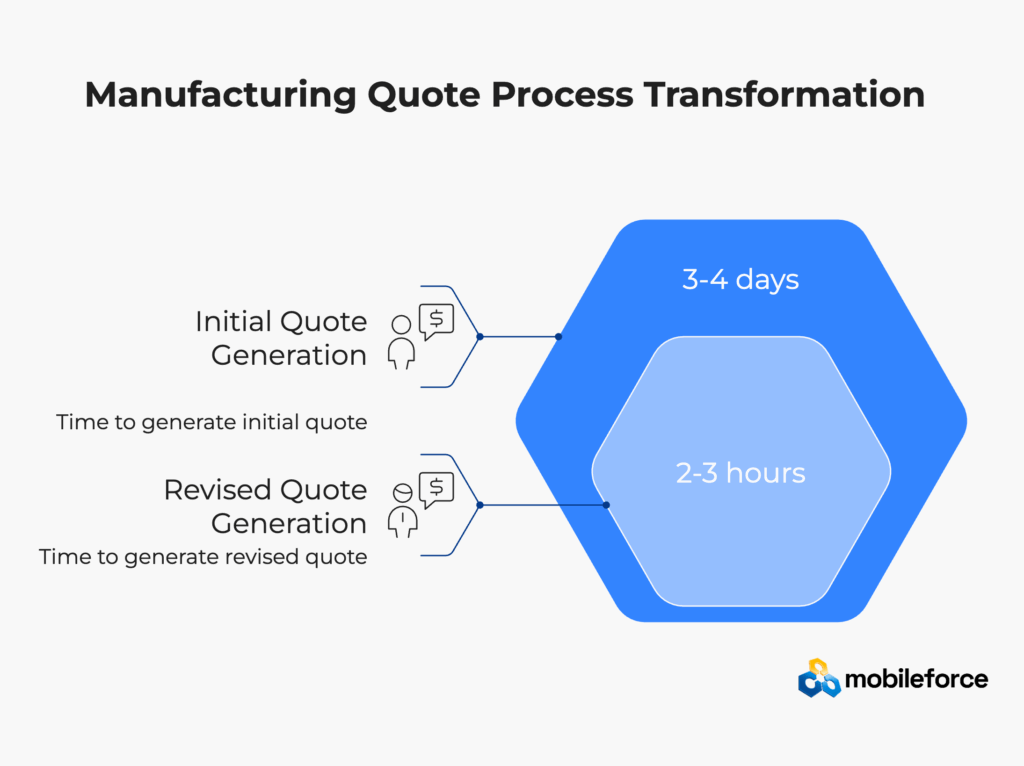
A mid-market manufacturing company using Microsoft Dynamics CRM faced growing complexity as their configurable equipment line expanded. Sales reps spent 3-4 days generating quotes for industrial machinery, often requiring multiple revisions due to configuration errors or pricing inconsistencies.
The manual process created significant friction:
Pipeline visibility suffered because Dynamics CRM couldn’t track quote status accurately when critical processes happened outside the system.
The organization implemented Mobileforce’s integrated CPQ platform, leveraging three core capabilities that traditional solutions couldn’t provide:
No-Code Configuration: Business users configured complex product rules, compatibility matrices, and pricing logic directly through Mobileforce’s visual interface. This eliminated the months-long custom development cycle that enterprise alternatives require.
Mobile-First Architecture: Field sales representatives could now generate complete quotes while on customer sites using Mobileforce’s offline-capable mobile interface. The system synchronized automatically with Dynamics CRM when connectivity returned, maintaining complete data integrity.
AskCPQ AI Agent: Instead of navigating complex configuration screens, sales reps could ask natural language questions: “What’s the cost for this configuration with a 15% volume discount?” The AI provided instant, accurate responses while enforcing all compliance rules.
Key implementation features included:
Mobileforce’s rapid deployment methodology delivered results within five weeks:
Quote Cycle Time: Reduced from 3-4 days to 2-3 hours (85% improvement) Pricing Accuracy: 90% fewer revision requests due to configuration errors Sales Productivity: Reps handling 40% more opportunities with same headcount Field Sales Effectiveness: 100% quote capability during customer visits Pipeline Visibility: Real-time quote status tracking within Dynamics CRM ROI Realization: 250% return within six months of implementation
The organization particularly valued Mobileforce’s mobile-first approach, which enabled field sales teams to close deals during customer site visits rather than scheduling follow-up meetings for quote delivery.
Results vary by organization and implementation scope. Explore what’s possible for your specific Dynamics CRM environment and business requirements.
The most successful CPQ implementations view the technology as a comprehensive revenue execution platform rather than a simple quote generator. This strategic perspective drives CRM integration decisions that support the entire quote-to-cash process within Dynamics environments while enhancing existing sales process optimization workflows.
Consider how CPQ data can enhance forecasting accuracy, improve pipeline management, provide insights into customer buying patterns, and support revenue operations analytics. These advanced applications often deliver more long-term value than the initial time savings from quote automation alone.
CPQ integration affects multiple departments, but success requires coordinated planning from project initiation. Revenue operations teams should help define approval workflows and system governance, finance should establish pricing rules and margin protection policies, and sales should validate user experience requirements and adoption strategies.
Regular cross-functional reviews ensure that the sales automation platform evolves to meet changing business needs while maintaining appropriate governance and control mechanisms.
The temptation to customize every aspect of CPQ behavior often leads to implementation delays and ongoing maintenance challenges that increase total cost of ownership. Start with standard configurations that address 80% of requirements, then iterate based on real user experience and measurable business outcomes.
Successful CPQ implementations prioritize speed to value over comprehensive feature coverage in initial phases. This approach enables faster ROI realization and allows teams to learn system capabilities before making expensive customizations.
Modern CPQ platforms provide detailed analytics about quote performance, user behavior, conversion patterns, and pricing effectiveness. Use this revenue operations data to identify optimization opportunities and refine pricing strategies over time while maintaining competitive positioning.
Monitor key performance indicators including quote-to-close conversion rates, average deal sizes, quote cycle times, discount frequency, and margin protection. These metrics reveal whether your CPQ integration is delivering expected business outcomes and where additional optimization opportunities exist.
While CPQ handles quote generation complexity and pricing optimization, Microsoft Dynamics CRM should remain the primary interface for customer relationship management and sales process coordination. This approach maintains user comfort while adding powerful capabilities without disrupting established workflows that already drive revenue growth.
Effective CRM workflow automation preserves the relationship context that makes Dynamics valuable while extending capabilities through embedded CPQ functionality that feels native to the environment.
Best Practice Category | Implementation Focus | Business Outcome |
Strategic Positioning | Revenue ops enhancement | Comprehensive value realization |
Team Alignment | Cross-functional planning | Smooth adoption and governance |
Configuration Approach | Standard first, customize later | Faster implementation and ROI |
Analytics Utilization | Continuous optimization | Improved performance over time |
CRM Integration | Preserve familiar workflows | Higher user adoption rates |
Transform your revenue execution capabilities while preserving what works. Learn how Mobileforce enhances Dynamics CRM without replacing established processes that drive customer relationships.
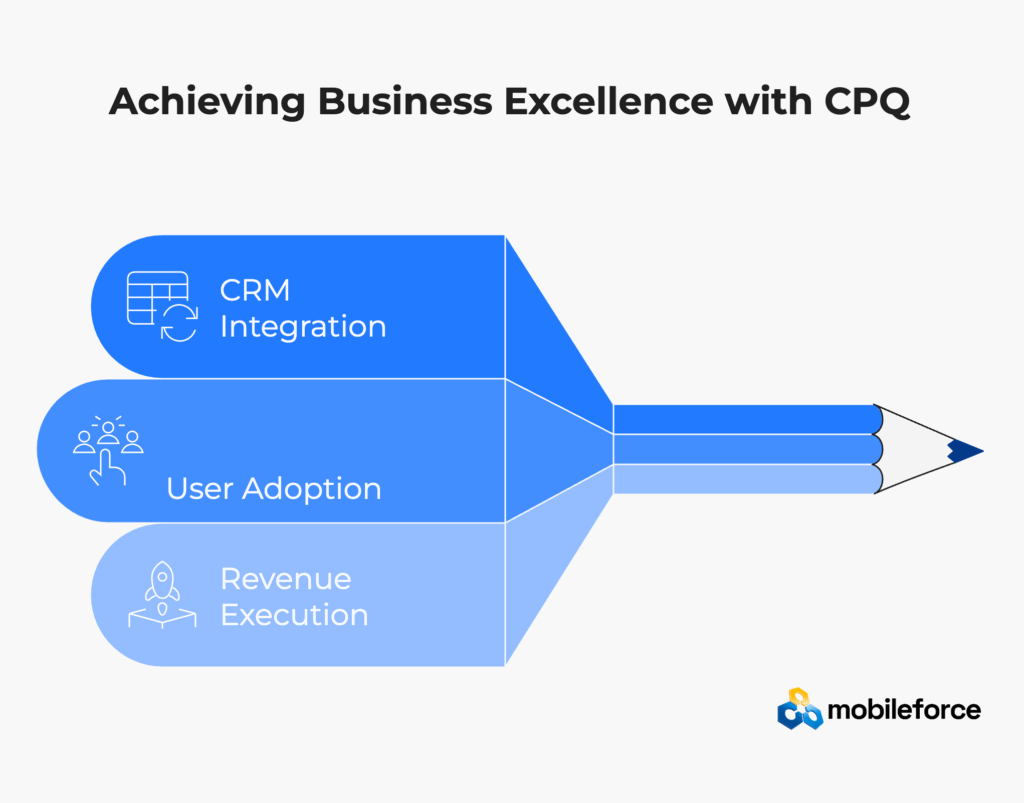
Microsoft Dynamics CRM provides excellent customer relationship management capabilities, but complex product configurations and dynamic pricing requirements demand specialized CPQ software that seamlessly integrates with existing workflows. Organizations that approach this integration strategically—focusing on user experience, measurable business outcomes, and long-term scalability—consistently achieve remarkable improvements in sales efficiency, pricing accuracy, and revenue growth.
The key to CPQ implementation success lies in choosing solutions designed specifically for CRM integration rather than forcing disconnected systems to work together through complex custom development. Modern platforms like Mobileforce demonstrate that powerful CPQ capabilities can enhance Dynamics CRM workflows without disrupting established processes that already drive customer relationships and revenue execution.
As customer expectations continue rising and product complexity increases across industries, CPQ integration transforms from a nice-to-have feature into a competitive necessity. Organizations that implement thoughtfully—starting with clear objectives, choosing appropriate technology platforms, and focusing on user adoption—position themselves to capitalize on revenue opportunities that manual processes simply cannot capture efficiently.
The investment in quality CPQ software delivers dividends beyond immediate time savings. Enhanced data flows improve forecasting accuracy, automated workflows reduce costly errors, and increased capabilities attract better sales talent to organizations. Most importantly, customers receive faster, more accurate service that strengthens relationships and drives sustainable business growth.
Research shows that companies successfully integrating sales technology see 23% faster revenue growth compared to those using manual processes. Current automation market research indicates that “over 90% of workers say automation increases their productivity, and companies investing in automation see an average 22% reduction in operating costs.” This competitive advantage becomes increasingly important as B2B buyer expectations continue evolving toward immediate, accurate responses.
Success Factor | Traditional Approach | Mobileforce Advantage | Business Impact |
Implementation Speed | 6-18 months typical | 25-47 days average | Faster ROI realization |
User Experience | Separate system switching | Native CRM embedding | 90% higher adoption |
Configuration Method | Custom development required | No-code business control | Reduced IT dependency |
Mobile Capability | Limited offline access | Full offline functionality | Complete field sales enablement |
Learning Curve | Extensive training needed | AI-powered assistance | 75% faster onboarding |
Total Cost of Ownership | High maintenance costs | Minimal ongoing overhead | Better ROI sustainability |
Ready to transform your revenue execution capabilities? Schedule a comprehensive consultation to explore how Mobileforce can enhance your Microsoft Dynamics CRM environment with powerful, easy-to-use CPQ capabilities that drive measurable business results.
CPQ implementation timelines vary significantly based on complexity and chosen technology approach. No-code CPQ solutions like Mobileforce typically deploy in 25-47 days, while traditional enterprise CPQ platforms may require 6-18 months for full implementation. Key factors affecting timeline include product catalog complexity, pricing rule sophistication, integration requirements, and customization scope.
Industry research demonstrates that organizations typically achieve 200-400% return on investment within three years of CPQ implementation. Companies using Mobileforce report 3.2x average ROI with specific benefits including 75% faster quote generation, 40% improvement in deal closure rates, and significant reductions in pricing errors and administrative overhead.
Modern mobile CPQ software designed for field sales environments provides complete offline functionality. Mobileforce’s mobile-first architecture enables full quote generation capabilities while disconnected from internet connectivity, with automatic bi-directional synchronization when connectivity returns. This capability is essential for field sales teams working on customer sites or in remote locations.
Properly integrated CPQ actually improves CRM adoption by making Dynamics systems more valuable for daily sales activities. HubSpot research on sales automation shows that “sales professionals who use a CRM are 79% more likely to say their teams are strongly aligned” and report increased productivity as the top benefit. When sales representatives can generate accurate quotes directly from opportunity records without switching systems, they spend more time within Dynamics CRM interfaces. This increased engagement leads to better data quality, more accurate pipeline forecasting, and improved sales process compliance.
Quality CPQ solutions enhance rather than replace existing business processes. Mobileforce integrates seamlessly with current Dynamics approval workflows, automating routine pricing decisions while routing complex scenarios through established approval channels. This approach preserves governance and control while eliminating manual bottlenecks that slow revenue execution.
CPQ software pricing for SMBs typically ranges from $50-$300 per user per month, depending on functionality and integration requirements. Mobileforce offers transparent subscription pricing that includes implementation, training, and ongoing support without hidden fees. Total implementation costs for SMBs range from $50K-$200K including software, setup, and training.
Cost breakdown for SMB CPQ implementation:
Mobileforce provides the most seamless Dynamics 365 integration through native embedding rather than external API connections. This approach delivers:
Manufacturing companies need CPQ software with advanced configuration capabilities:
Manufacturing-specific CPQ features become critical for companies selling configurable equipment, custom machinery, or complex industrial solutions.
CPQ ROI calculation includes both hard savings and productivity improvements:
Step 1: Calculate Current Quote Process Costs
Step 2: Estimate CPQ Benefits
Step 3: Implementation Investment
Typical ROI calculation: Organizations achieve 200-400% ROI within 3 years, with payback periods of 6-18 months depending on quote volume and complexity.
Yes, modern CPQ platforms integrate with Microsoft’s complete business application ecosystem. Mobileforce works seamlessly with:
This comprehensive integration ensures CPQ functionality works within established Microsoft workflow environments without forcing users to learn new platforms or abandon familiar productivity tools.
CPQ software pricing varies widely based on functionality, implementation complexity, and ongoing support requirements. No-code platforms typically offer more predictable costs and faster value realization compared to enterprise solutions requiring extensive custom development. Organizations should evaluate total cost of ownership including implementation services, training, and ongoing maintenance when comparing CPQ vendors.
Ready to get specific answers for your environment? Schedule a consultation to discuss implementation timelines, costs, and expected ROI for your specific Dynamics CRM configuration.