
When evaluating enterprise CPQ software, the choice between DealHub and Mobileforce reveals critical differences in user experience design approaches. DealHub offers streamlined configure price quote interfaces for standardized B2B sales scenarios, while Mobileforce provides adaptive sales automation architecture that preserves existing quoting workflows. Industry research consistently shows that unfamiliar quote software interfaces significantly increase quote generation times, making behavioral continuity essential for successful revenue operations implementations.
Schedule a CPQ platform evaluation to assess how user experience architecture impacts your sales automation success.
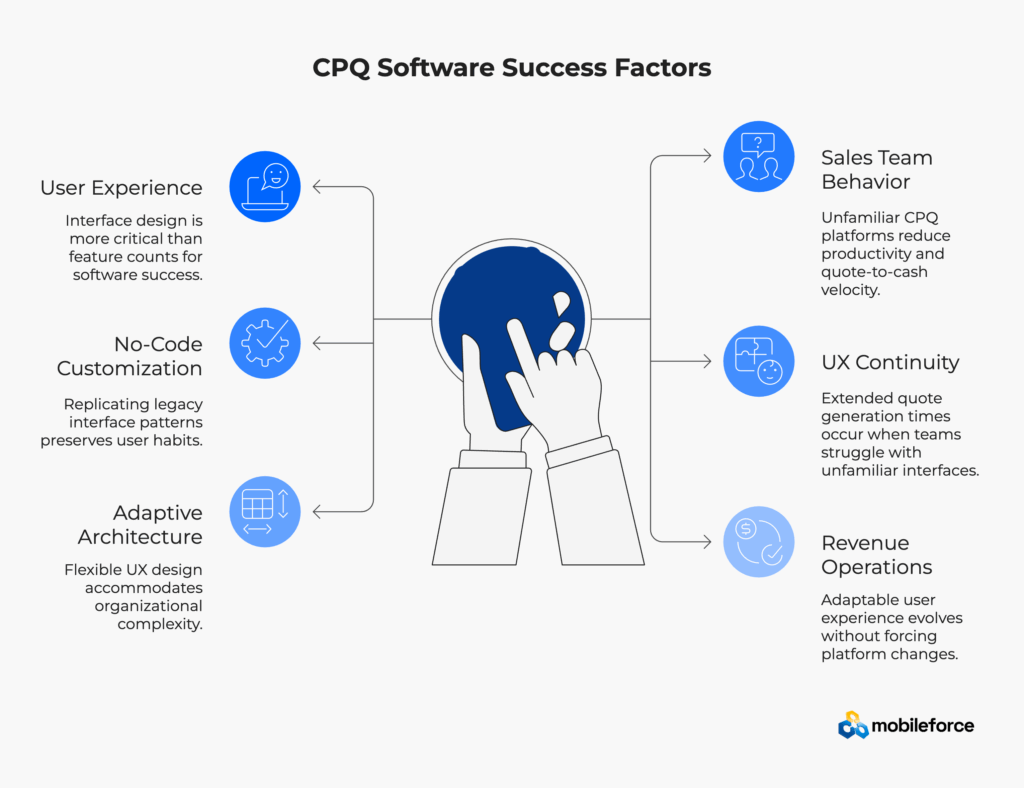
“The best quote software interface is one that feels like it was designed specifically for your team’s established workflow patterns.” This sentiment, commonly expressed by enterprise sales leaders during CPQ vendor evaluations, captures exactly why user experience design has emerged as the critical differentiator in sales automation platform adoption.
Configure price quote (CPQ) software implementations experience high failure rates across enterprise organizations. Despite promising efficiency gains and revenue optimization capabilities, many companies struggle with the human elements of sales technology adoption. Sales representatives—operating under constant deal pressure—frequently resist new quote software systems that disrupt their established quoting workflows.
The enterprise software comparison between DealHub and Mobileforce reveals a fundamental philosophical divide about B2B sales automation: should sales teams adapt to software platforms, or should sales automation software adapt to existing team behaviors?
Enterprise CPQ software evaluations traditionally focus on feature comparisons—integration capabilities, pricing rule complexity, approval workflow sophistication. However, user experience research consistently demonstrates that most users abandon software applications after poor experiences, regardless of feature completeness. This behavioral reality explains why feature-rich sales automation implementations often fail while simpler, UX-focused quote software solutions achieve higher adoption rates.
Industry research indicates that sales representatives spend a significant portion of their time on administrative tasks, with only a fraction dedicated to actively selling. Pricing and quoting activities consume substantial effort in most sales organizations. When configure price quote platforms disrupt established workflows, this limited selling time decreases further as teams struggle with unfamiliar interfaces. The result: expensive enterprise software that reduces productivity instead of enhancing revenue operations performance.
Enterprise sales teams develop deeply ingrained habits around quoting workflows over months and years of repetitive use. Research from McKinsey on digital transformation demonstrates that disrupting established user behaviors creates significant cognitive load, slowing critical decision-making under deal pressure situations.
Manufacturing sales engineers who have spent years using specific button placements and navigation patterns in legacy quote software don’t require “more powerful features”—they need CPQ interfaces that preserve their existing mental models while gradually introducing modern sales automation capabilities.
Common UX-Related Implementation Challenges:
Explore how behavioral UX design addresses these common enterprise CPQ implementation challenges.
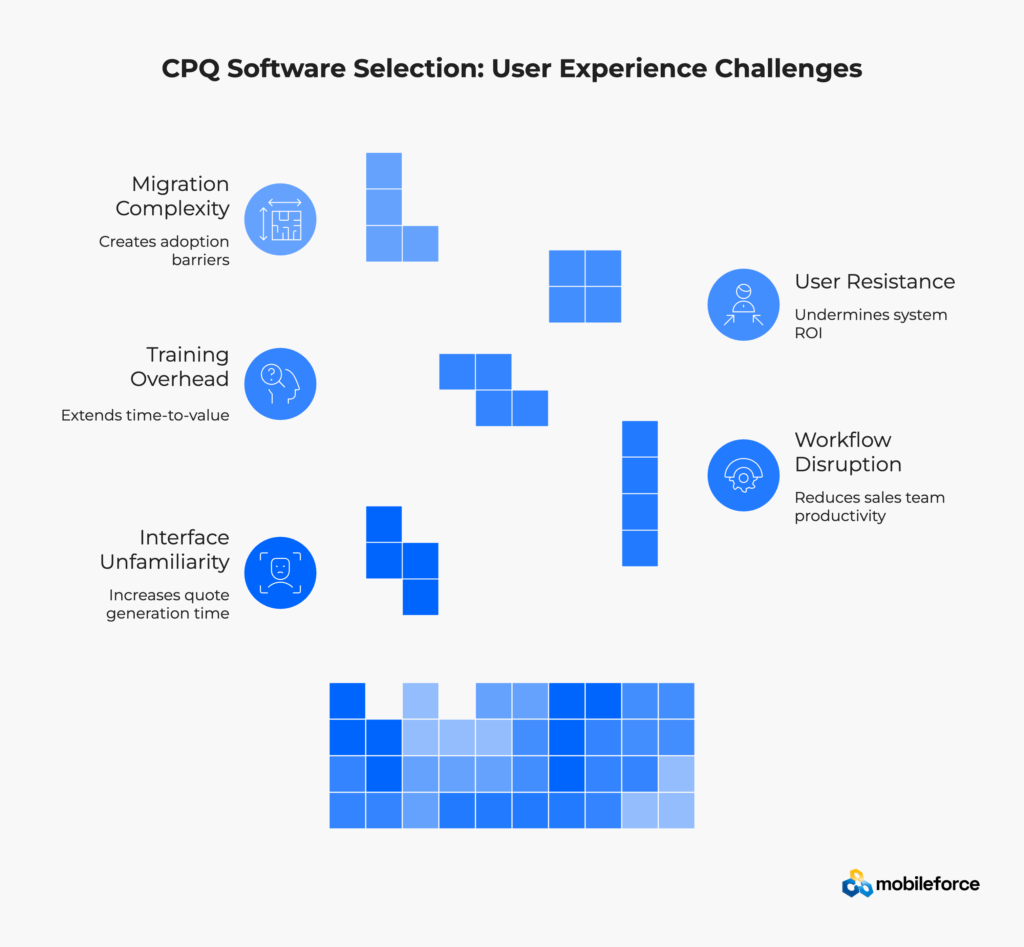
The enterprise software comparison between DealHub and Mobileforce reveals a fundamental philosophical split about sales automation design: should sales teams adapt to quote software, or should CPQ platforms adapt to existing sales team behaviors?
DealHub approaches user experience with a “one-size-fits-most” philosophy for configure price quote implementations. Their interface emphasizes visual appeal and logical navigation, creating experiences optimized for standardized B2B sales scenarios.
DealHub Strengths:
DealHub UX Limitations:
Compare Mobileforce’s adaptive CPQ approach for preserving existing sales team workflow patterns.
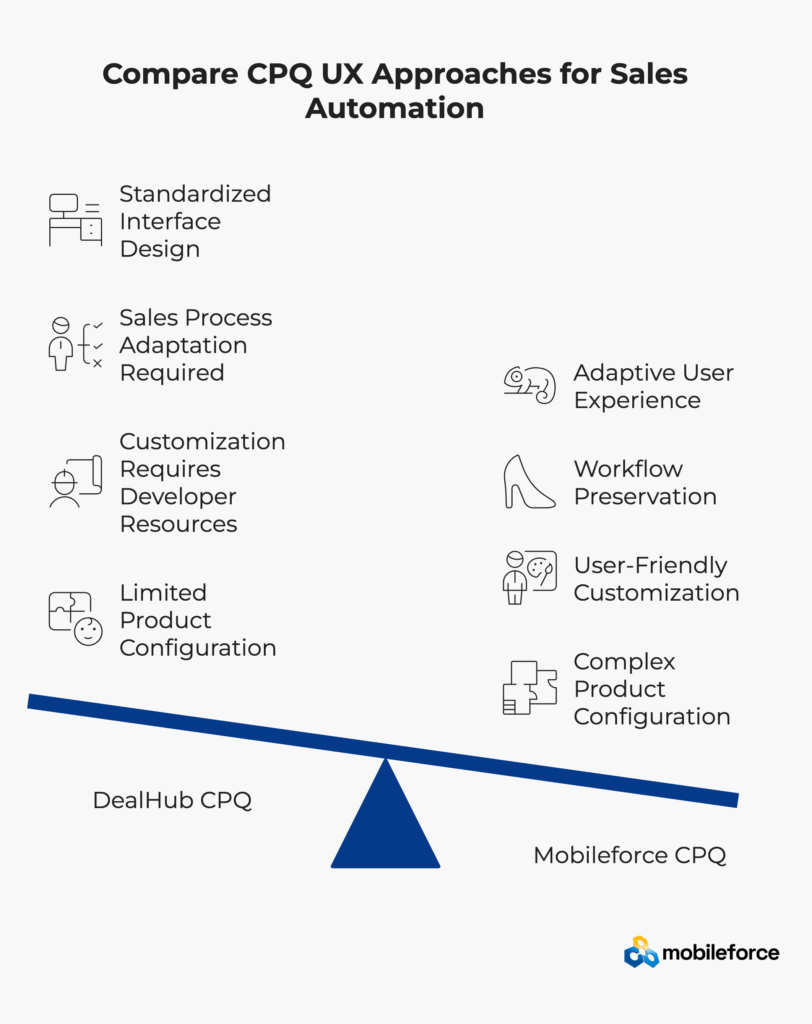
Mobileforce treats user experience as configurable infrastructure rather than fixed design elements. This philosophy recognizes that different sales organizations, industries, and user roles require distinct interaction patterns to achieve optimal quote software productivity.
The No-Code UX Configuration Advantage:
UX Capability | Business Impact | Mobileforce Approach |
Interface Customization | Preserves sales team muscle memory | No-code configuration tools |
Workflow Adaptation | Reduces training time requirements | Legacy pattern replication capabilities |
Role-Based Design | Supports diverse sales team functions | Field, inside, partner-specific UX optimization |
Migration Continuity | Accelerates ROI achievement | Familiar interface preservation during transitions |
Enterprise CPQ Adaptability Features:
This behavioral adaptability directly addresses the core enterprise challenge: significantly longer quote generation times when sales teams struggle with unfamiliar configure price quote interfaces.
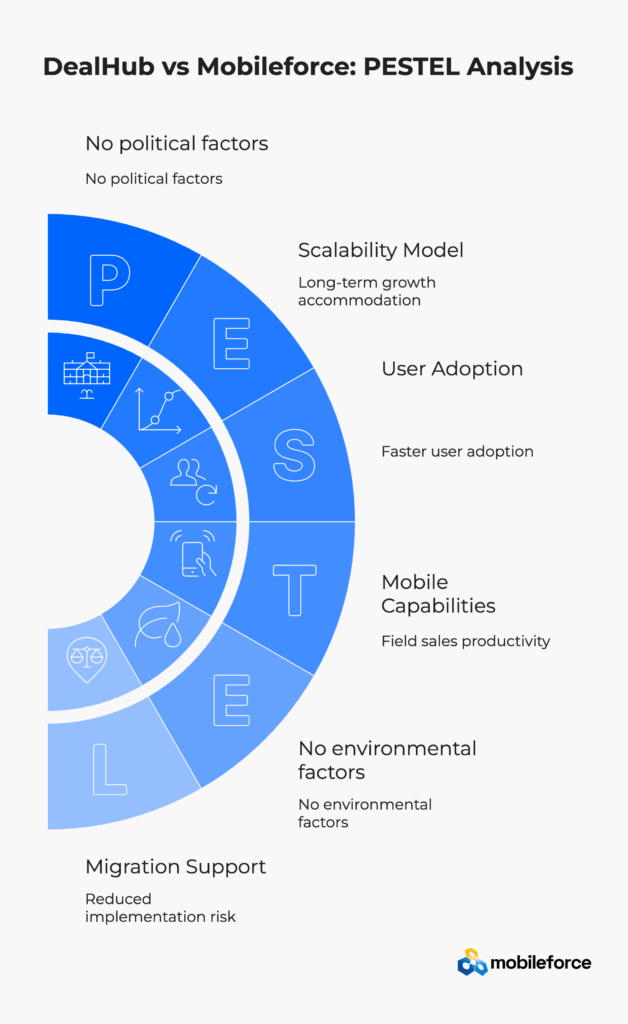
Feature Category | DealHub | Mobileforce | Enterprise Impact |
UX Customization | Limited flexibility | Faster user adoption | |
Migration Support | Standard retraining | Reduced implementation risk | |
Mobile Capabilities | Basic responsive design | Field sales productivity | |
Integration Approach | Salesforce-optimized | Broader enterprise compatibility | |
Scalability Model | Fixed interface scaling | Long-term growth accommodation |
Enterprise CPQ software implementations represent significant technology investments, typically ranging from $50,000 to $500,000+ for mid-market to large organizations. Industry research consistently shows that while most executives consider software adoption a high priority, only a small percentage rate their organizations as highly effective at ensuring employees know how to use required software. This gap between adoption intention and execution explains why many configure price quote implementations fail to meet adoption targets, primarily due to user experience complexity rather than technical limitations.
Implementation Factor | DealHub Approach | Mobileforce Advantage | Timeline Impact |
Initial Setup | Standard configuration only | No-code customization during deployment | Significantly faster time-to-adoption |
UX Customization | Requires development resources | Business user configuration capabilities | Weeks vs. months for customization |
Legacy Pattern Replication | Manual training workarounds | Interface mirroring functionality | Eliminates retraining delays |
Multi-Role Deployment | Uniform rollout approach | Phased role-specific launches | Reduces change management risk |
Integration Configuration | Technical team dependency | Business-led integration setup | Faster deployment cycles |
User Acceptance Testing | Extensive UAT required | Familiar UX patterns reduce testing | 50% shorter UAT cycles |
Change Management | Comprehensive training programs | Preserved muscle memory approach | Minimal disruption periods |
Go-Live Risk | High user resistance potential | Behavioral continuity strategy | Lower rollback probability |
Resource Requirements for Enterprise CPQ Implementation:
Deployment Phase | DealHub Needs | Mobileforce Needs | Efficiency Gain |
Configuration | IT + Sales Ops + External Consultants | Sales Operations team only | Significantly fewer resources required |
Customization | Developers + UX designers | Business analysts with no-code tools | 3x faster iteration cycles |
Training Development | Extensive curriculum creation | Minimal due to UX familiarity | 70% less training content needed |
User Onboarding | Department-wide training sessions | Role-specific quick start programs | 50% shorter onboarding timeline |
Request enterprise implementation timeline assessment based on your current sales automation environment.
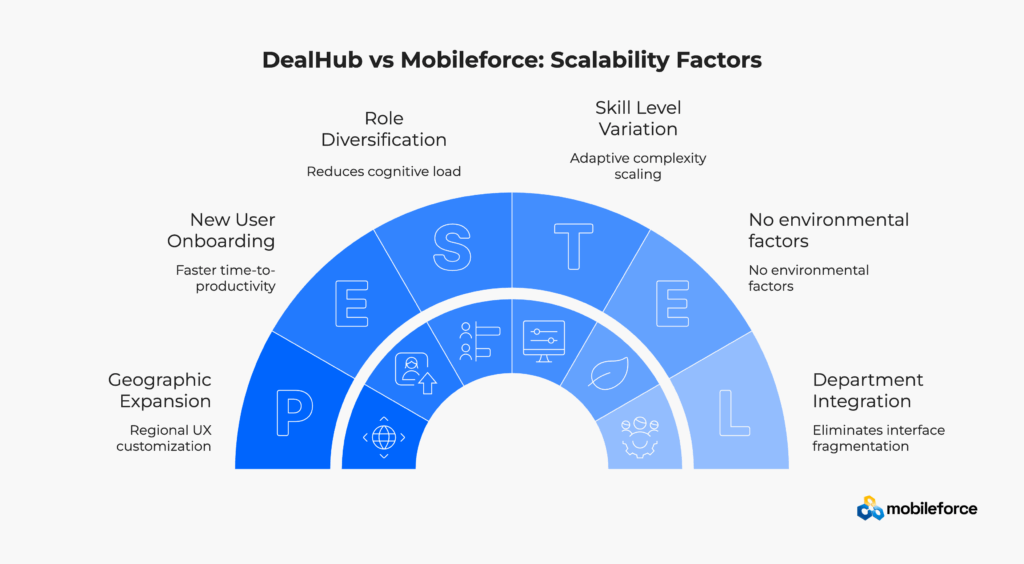
Scalability Factor | DealHub Approach | Mobileforce Solution | Business Impact |
New User Onboarding | Standard training for all roles | Role-specific interface patterns | Notably faster time-to-productivity |
Geographic Expansion | Uniform interface globally | Regional UX customization | Preserves local workflow habits |
Role Diversification | One-size-fits-all interface | Role-based UX optimization | Reduces cognitive load per role |
Skill Level Variation | Single complexity level | Adaptive complexity scaling | Supports novice to expert users |
Department Integration | Sales-focused interface | Cross-functional UX (RevOps, Finance, Service) | Eliminates interface fragmentation |
Enterprise CPQ software migrations represent the highest-risk moment in sales automation technology adoption. Industry analysis consistently shows that a significant percentage of configure price quote implementations experience user adoption challenges, with unfamiliar interfaces being the primary resistance factor.
Traditional CPQ Migration Approach (DealHub-style Implementation):
Behavioral UX Migration Strategy (Mobileforce Approach):
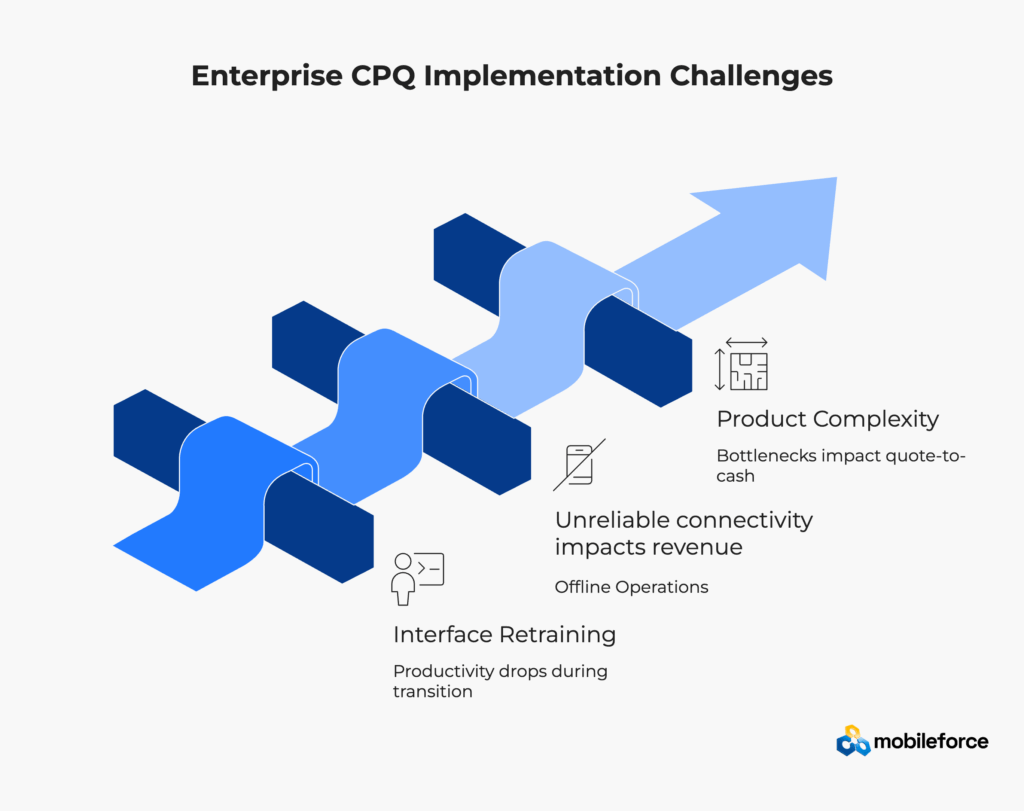
Field sales teams operate in challenging enterprise environments—manufacturing floors, remote construction sites, customer facilities with limited connectivity. Mobile enterprise research indicates that many field sales interactions occur in locations with unreliable internet connectivity, making offline quote software capabilities essential for revenue operations success.
Mobileforce’s Mobile-First Enterprise Advantage:
Business Impact Example: A construction equipment dealer’s field sales team can configure complex machinery quotes during customer site visits, regardless of cellular coverage availability, then sync completed proposals with pricing approvals when returning to networked environments.
Enterprise sales organizations frequently manage thousands of SKUs, multiple pricing tiers, and intricate product dependency rules. User experience design either scales gracefully with catalog complexity or creates significant productivity bottlenecks that impact quote-to-cash velocity.
Product Configuration Complexity Comparison:
Complexity Factor | DealHub Response | Mobileforce Solution | Performance Impact |
High SKU Count (10,000+) | Interface becomes cluttered and slow | Adaptive layouts scale with data volume | Maintains quote generation speed |
Complex Pricing Rules | Fixed navigation patterns become limiting | Contextual interface optimization | Reduces pricing error rates |
Product Dependencies | Standard configuration flow breaks down | Dynamic workflow adaptation | Handles complex configurations |
Multi-Channel Sales Requirements | Uniform interface for all user types | Role-specific UX optimization | Supports diverse sales processes |
Global Product Variations | Single interface for all regions | Localized UX for regional differences | Accommodates international sales |
Explore manufacturing CPQ requirements for complex product configuration scenarios.
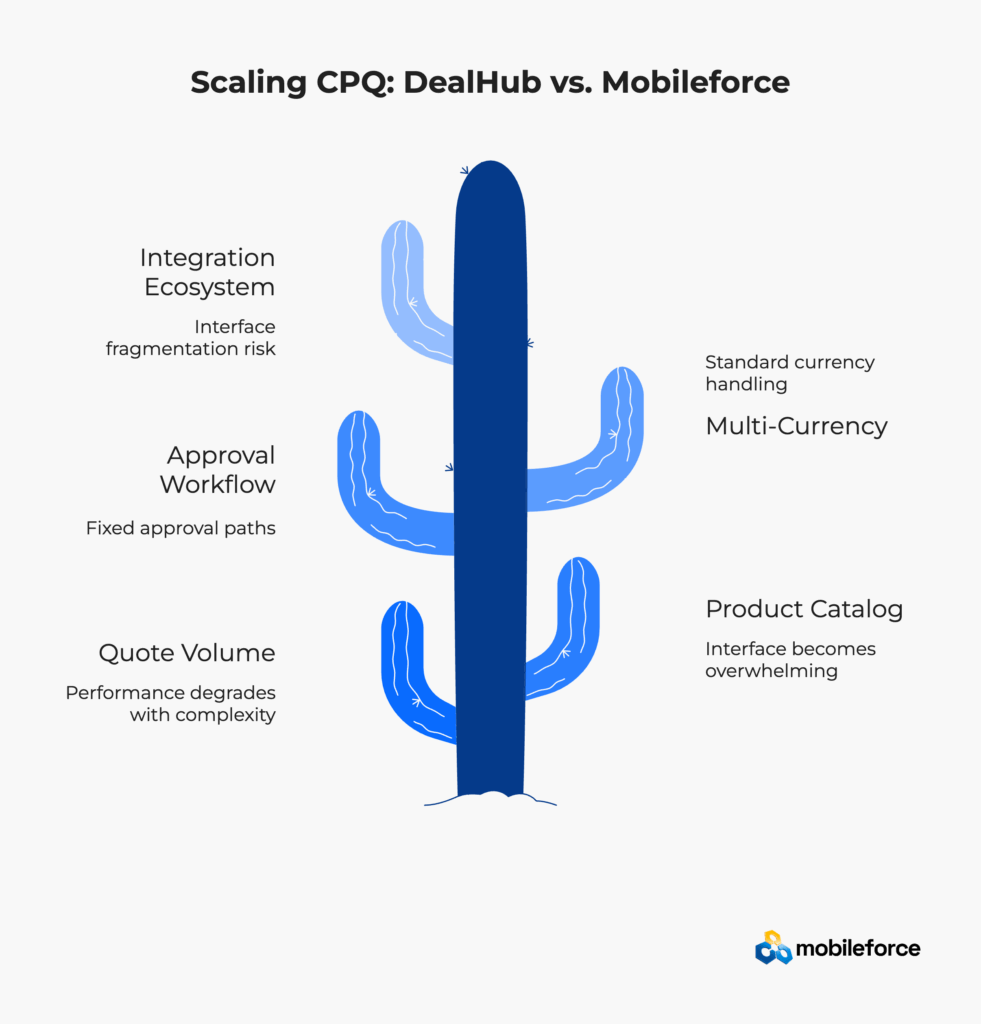
Growth Challenge | DealHub Limitations | Mobileforce Architecture | Scalability Impact |
Quote Volume (100s to 1000s monthly) | Performance degrades with complexity | Optimized interface rendering | Maintains response times |
Product Catalog Growth | Interface becomes overwhelming | No-code layout adaptation | UX stays organized |
Approval Workflow Complexity | Fixed approval paths | Dynamic workflow visualization | Reduces approval bottlenecks |
Multi-Currency Operations | Standard currency handling | Localized UX for regional teams | Supports global expansion |
Integration Ecosystem | Interface fragmentation risk | Unified UX across integrations | Prevents user confusion |
Explore manufacturing scalability requirements for complex product configuration.
The key difference: DealHub requires development resources to handle growing complexity, while Mobileforce’s no-code approach allows business users to adapt interfaces as operations scale.
Modern enterprise organizations require comprehensive revenue lifecycle management extending beyond basic configure price quote functionality to subscription billing, contract management, and service delivery coordination. According to McKinsey revenue operations research, companies implementing end-to-end quote-to-cash automation achieve 15-20% revenue growth through improved sales velocity and reduced administrative overhead.
Mobileforce’s AskCPQ AI agent demonstrates how artificial intelligence can enhance sales automation user experience without disrupting familiar quote software workflows. Rather than replacing human sales expertise, AskCPQ provides contextual assistance that guides quote creation while preserving established interface patterns that sales teams rely on for productivity.
AI-Enhanced UX Integration Benefits:
Large organizations require CPQ platforms that integrate seamlessly with existing enterprise software ecosystems without creating fragmented user experiences across different sales automation tools. Research published by Harvard Business Review indicates that the average digital worker toggles between applications nearly 1,200 times per day, losing approximately five working weeks annually due to context switching inefficiencies.
Mobileforce’s Unified Revenue Operations UX Approach:
Learn how Revenue Cloud capabilities scale from basic quoting to complete revenue lifecycle management while maintaining UX consistency.
This integrated approach prevents the UX fragmentation that typically occurs when enterprises implement multiple point solutions, each requiring different interaction patterns, training approaches, and user adoption strategies.
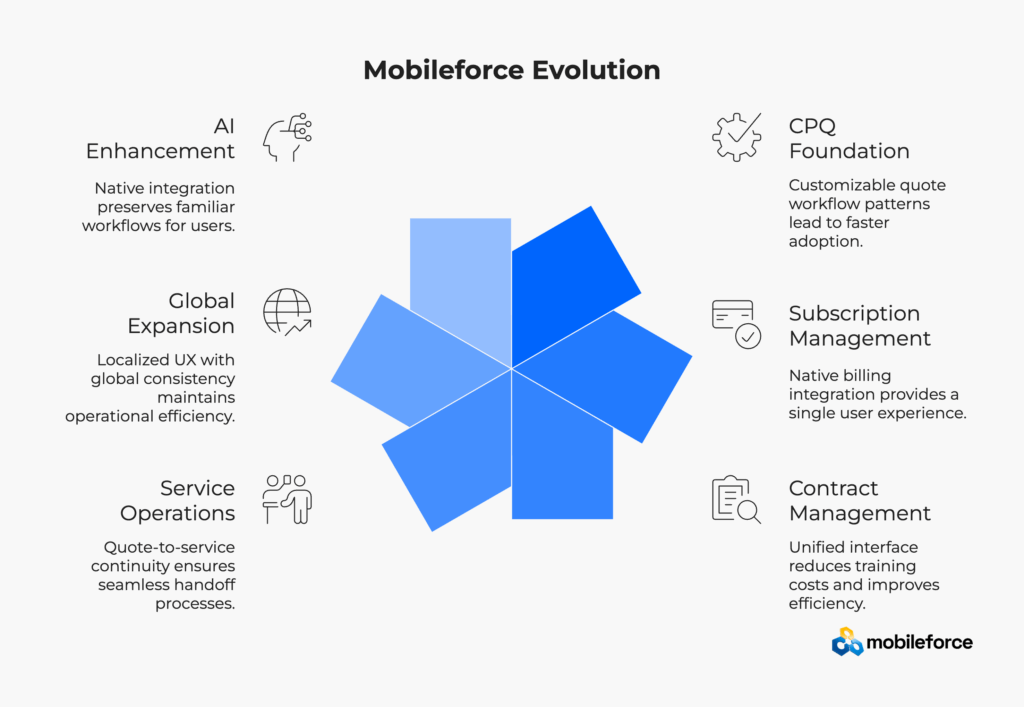
Growth Stage | DealHub Constraints | Mobileforce Evolution | Strategic Advantage |
CPQ Foundation | Fixed quoting interface design | Customizable quote workflow patterns | Faster initial adoption rates |
Subscription Management | Separate platform required | Native billing UX integration | Single user experience maintenance |
Third-party CLM integration | Unified contract-quote interface | Reduced training overhead costs | |
Service Operations | Disconnected service tools | Quote-to-service UX continuity | Seamless handoff processes |
Global Expansion | Regional platform variations | Localized UX with global consistency | Maintains operational efficiency |
AI Enhancement | External AI tool integration | Native AskCPQ UX integration | Preserves familiar workflows |
Business Impact: Organizations implementing Mobileforce’s Revenue Cloud approach report significantly fewer help desk support tickets during platform expansion phases, primarily attributed to maintained UX consistency across growing functionality sets. Additionally, enterprise case studies demonstrate notably faster feature adoption rates when new capabilities preserve existing interface paradigms.
Schedule an enterprise CPQ software evaluation to determine which user experience architecture aligns with your revenue operations strategy.
Enterprise CPQ software selection shouldn’t be driven by feature checklists or pricing comparisons alone. Instead, evaluate which user experience philosophy aligns with your organization’s behavioral realities, change management capabilities, and long-term growth strategy.
Research on digital transformation reveals that organizations effectively aligning digital change initiatives with strategy and technology investments experience significant market advantages compared to those that fail to effectively manage change. This substantial potential advantage for enterprise firms demonstrates that user experience continuity during technology transitions directly impacts business value.
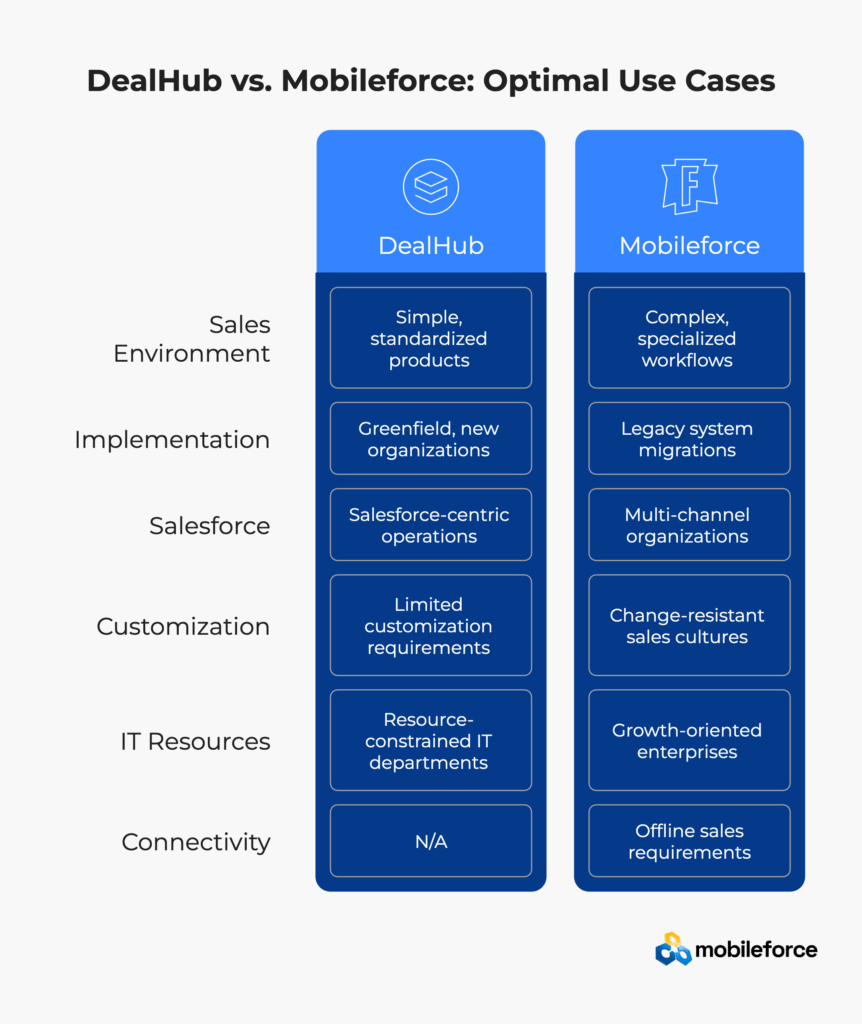
Optimal DealHub Use Cases:
Optimal Mobileforce Use Cases:
Organization Size/Complexity | DealHub Implementation Timeline | Mobileforce Implementation Timeline | Key UX Advantage |
Small Teams (10-50 users) | 6-8 weeks standard setup | 4-6 weeks with UX customization | Faster customization without developers |
Mid-Market (50-200 users) | 3-4 months + extensive training | 2-3 months with preserved workflows | Reduced change management complexity |
Enterprise (200-1000 users) | 6-9 months + department rollouts | 4-6 months with phased UX adaptation | Notably faster adoption cycles |
Global Enterprise (1000+ users) | 12-18 months + regional variations | 8-12 months with localized UX | Consistent yet adaptable approach |
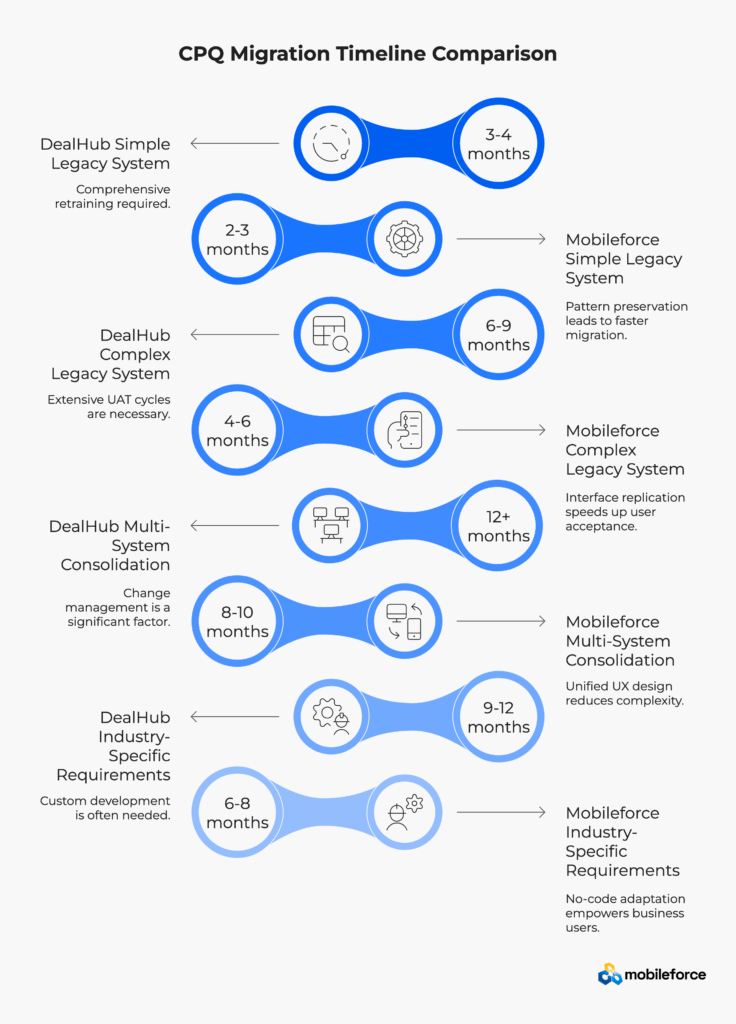
Migration Complexity Level | DealHub Migration Approach | Mobileforce Migration Approach | Risk Mitigation Factor |
Simple Legacy System | 3-4 months + comprehensive retraining | 2-3 months with pattern preservation | Lower user resistance rates |
Complex Legacy System | 6-9 months + extensive UAT cycles | 4-6 months with interface replication | Faster user acceptance testing |
Multi-System Consolidation | 12+ months + change management | 8-10 months with unified UX design | Reduced complexity perception |
Industry-Specific Requirements | 9-12 months + custom development | 6-8 months with no-code adaptation | Business user configuration control |
Enterprise research demonstrates that organizations implementing configure price quote solutions achieve significant increases in quote volume and quota attainment compared to manual quoting processes. However, these revenue operations benefits only materialize when sales teams consistently adopt and effectively use the CPQ platform throughout their daily workflows.
Deloitte research on digital adoption reveals that large enterprises spend on average more than $104 million on digital transformation, yet struggle to achieve sustained user adoption without proper UX strategy. Additionally, 61% of leaders say poor employee digital experiences are likely to lead to resignations, making interface design a critical factor in employee retention and platform success.
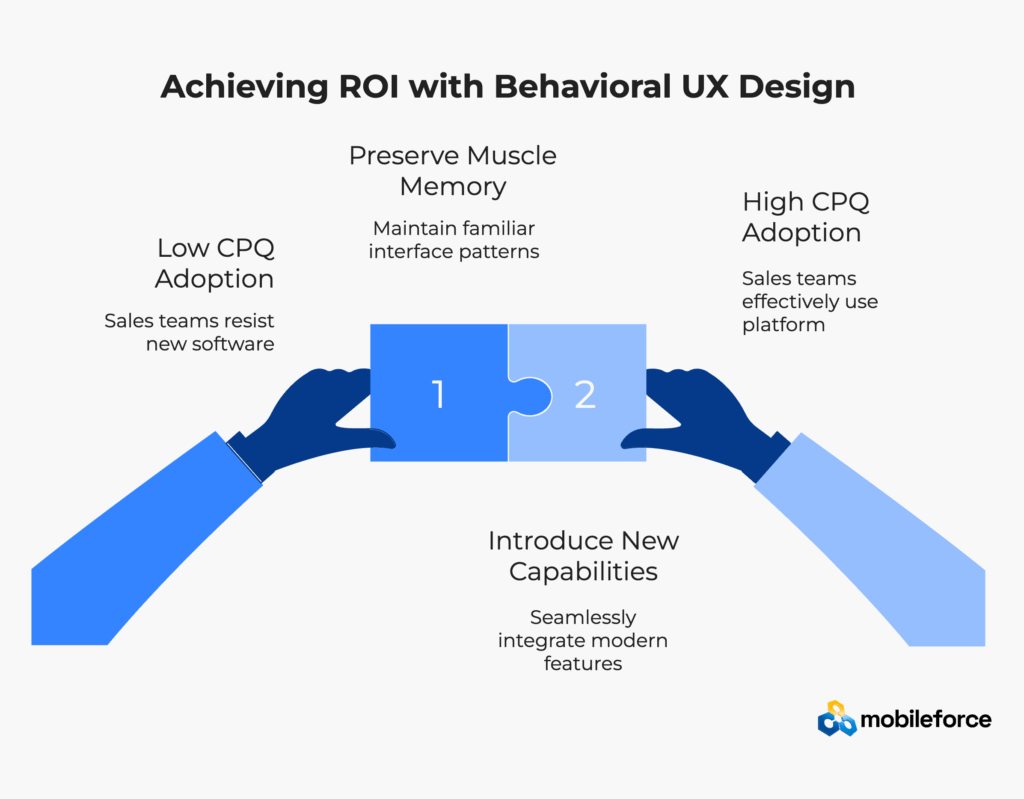
Mobileforce’s behavioral user experience approach directly addresses the primary barrier to sales automation success: user resistance to unfamiliar quote software interfaces. By preserving muscle memory patterns while introducing modern revenue operations capabilities, organizations achieve faster ROI realization, reduced training costs, and higher long-term user satisfaction across their sales technology investments.
The future of enterprise sales automation belongs to platforms that adapt to human behavioral patterns rather than forcing behavior modification. In the competitive CPQ software landscape, this means prioritizing user experience architecture over feature lists, emphasizing behavioral continuity over visual appeal, and focusing on adoption success over implementation complexity.
Organizations investing in adaptive sales automation platforms position themselves for sustainable growth, reduced technology overhead, and improved sales team productivity across diverse market conditions.
Request a personalized CPQ software evaluation to assess how behavioral UX design impacts your specific revenue operations requirements.
The primary difference lies in user experience philosophy: DealHub provides standardized interfaces optimized for simple B2B sales scenarios, while Mobileforce offers adaptive UX architecture that preserves existing sales team workflow patterns. Mobileforce’s no-code configuration capabilities allow enterprises to replicate legacy interface patterns, reducing training time and user resistance during CPQ software implementations.
Enterprise CPQ implementation timelines vary significantly based on organizational complexity and UX requirements. Simple implementations range from 4-8 weeks, while complex enterprise deployments can require 6-18 months. Mobileforce’s adaptive UX approach typically reduces implementation timelines compared to traditional approaches due to preserved workflow patterns and reduced training requirements.
Mobileforce excels for field sales operations due to its mobile-first architecture and native offline capabilities. Field sales representatives can create complete quotes and configure products without internet connectivity, then synchronize data when returning to networked environments. This capability is essential for manufacturing, construction, and industrial sales scenarios.
Complex product configuration capabilities depend heavily on user interface scalability. Mobileforce’s adaptive UX design scales with catalog complexity, providing contextual navigation and dynamic workflow adaptation. DealHub’s standardized interface approach works well for typical B2B scenarios, though organizations with highly complex product catalogs may benefit from more adaptive interface solutions.
CPQ software costs include licensing, implementation, training, and ongoing maintenance. While specific pricing varies by organizational requirements, Mobileforce’s no-code customization approach typically reduces implementation costs due to faster deployment timelines and reduced training overhead. Contact for enterprise pricing based on your specific requirements.
Both platforms offer CRM integration capabilities, but with different approaches. DealHub provides optimized Salesforce integration with standard patterns. Mobileforce offers adaptive integration architecture supporting HubSpot, Salesforce, Microsoft Dynamics, and other CRM platforms while preserving consistent user experience patterns across integrated systems.
Mobileforce’s interface replication capabilities make it superior for legacy system migrations. The platform can mirror existing quote software navigation patterns and workflow sequences, preserving sales team muscle memory during platform transitions. This behavioral continuity approach significantly reduces user resistance and accelerates adoption compared to traditional retraining approaches.
Mobileforce’s AskCPQ AI agent provides conversational assistance within familiar interface patterns, offering pricing recommendations and configuration guidance without disrupting established workflows. The AI enhancement preserves existing user experience while adding intelligent automation capabilities for complex quote scenarios.
Customizable UX allows enterprises to replicate familiar workflows and interface patterns from legacy systems, reducing cognitive load during transitions. User experience research consistently shows that most users abandon software after poor experiences, making interface familiarity crucial for adoption success.
Yes, Mobileforce’s no-code configuration capabilities allow replication of legacy interface patterns including navigation layouts, button placements, and workflow sequences. This preserves muscle memory while introducing modern CPQ capabilities gradually.
Mobileforce’s no-code configuration tools are designed for business users rather than technical developers. Sales operations teams can modify interfaces without IT involvement, actually reducing administrative complexity compared to code-based customizations.
Interface customization happens at the presentation layer without impacting core system performance. Mobileforce’s architecture separates UX configuration from business logic, ensuring customizations don’t affect quote processing speed or system reliability.
Mobileforce provides native offline functionality including quote configuration, pricing calculations, and proposal generation. All work synchronizes automatically when connectivity returns, ensuring field teams maintain productivity regardless of network conditions.
AskCPQ provides conversational assistance for quote creation and product configuration without disrupting familiar workflows. The AI understands user roles and company-specific rules, offering contextual guidance that accelerates learning without replacing human expertise.
Yes, Mobileforce supports role-based interface customization. Field sales teams can use mobile-optimized interfaces while inside sales teams get desktop-focused layouts, all managing the same underlying quote data with appropriate security controls.
Basic interface modifications can be completed within days using no-code tools. Complex customizations requiring legacy system pattern replication typically require 2-4 weeks depending on the complexity of existing workflows and the extent of required changes. Industry analysis indicates that no-code solutions significantly accelerate development cycles compared to traditional programming approaches.